Page | 87
1
Multi-standard systems only.
7.2.2 NAME
The Name field (next to Connection Type) is editable, allowing you to enter a custom name for
each input. The name supplied will appear elsewhere in the user interface, including in the HUD
(Heads-Up Display).
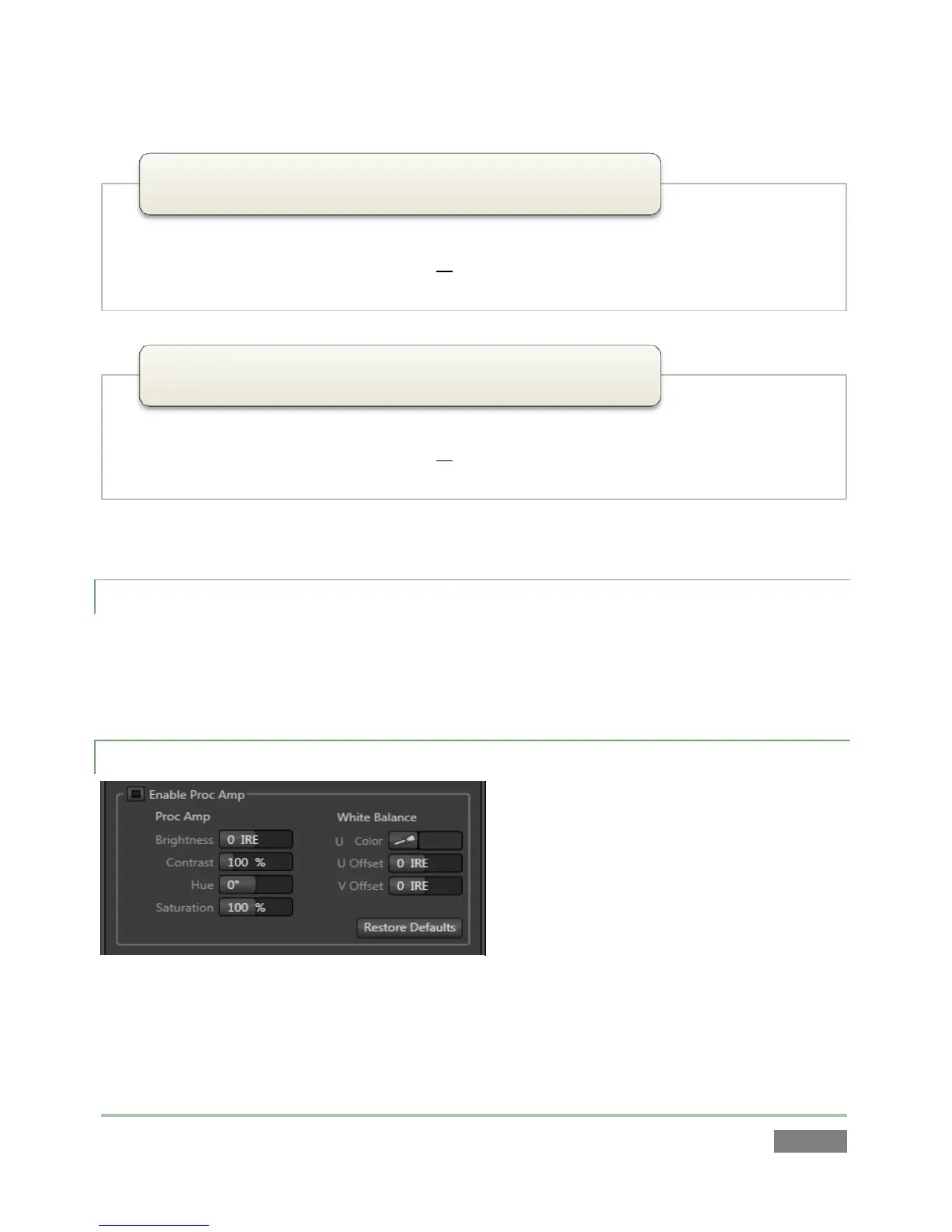
7.2.3 PROC AMP
The largest portion of input configuration
panels holds Proc Amp settings. These
settings are identical to those discussed in
Section 7.1.1.
Of course, these settings are applied to the
individual inputs, thus before output Proc
Amp settings (which affect all sources
equally).
• PAL (S-Video) analog format , standard definition, interlaced
• 720x576 pixels, 4:3 picture aspect or anamorphic 16:9 picture aspect
• Connected to 3Play by Y and Pb input connectors
1
576/25i (Y/C)
• PAL analog format , standard definition, interlaced
• 720x576 pixels, 4:3 picture aspect or anamorphic 16:9 picture aspect
• Connected to 3Play by Y input connector
1
576/25i (Composite)



 To Next Page