Page | 19
3.4 INPUT CONNECTIONS
3.4.1 CONNECT A/V SOURCES
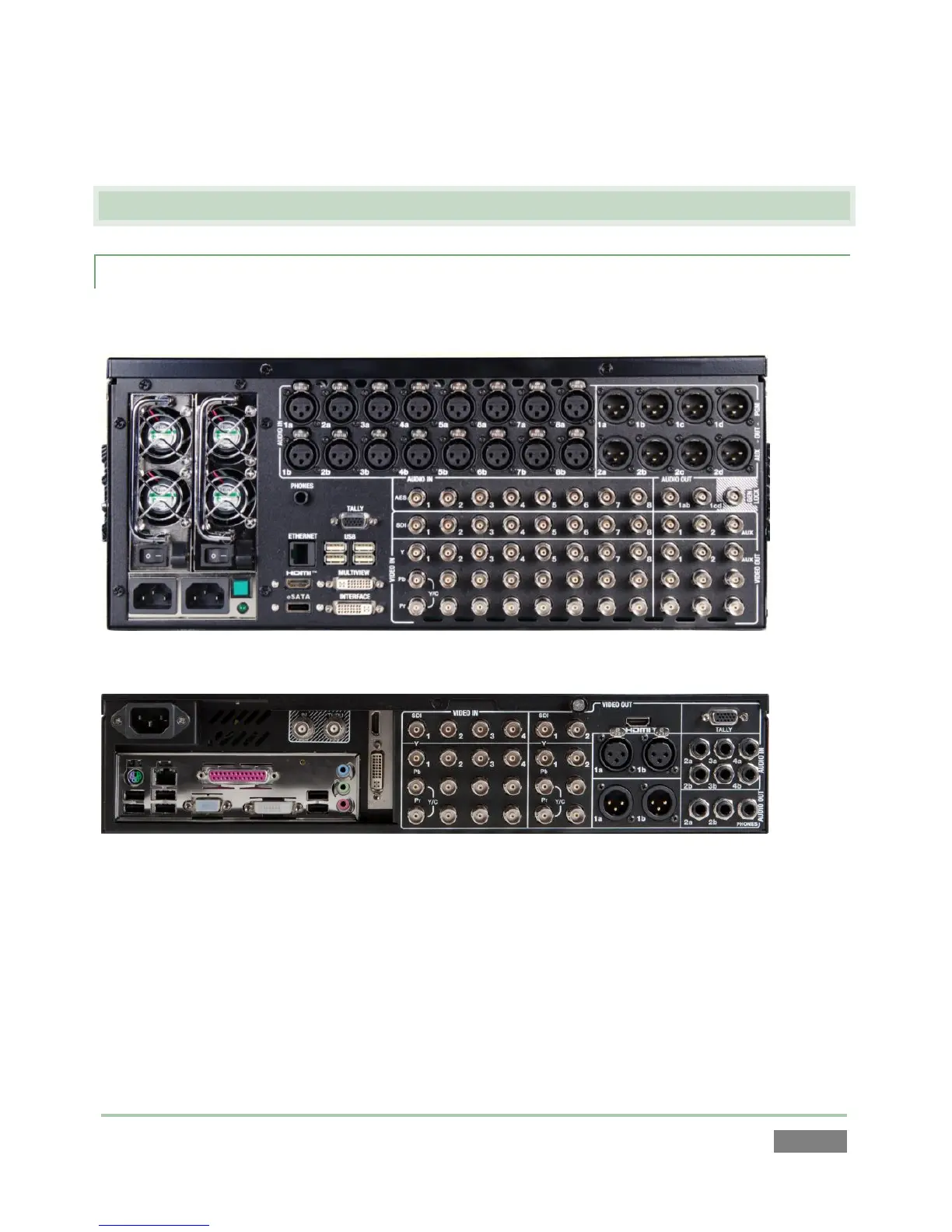
External audio and video sources are connected to the appropriate inputs on 3Play’s backplate.
Figure 16 – 3Play™ 820
Figure 17 – 3Play™ 425
1. Connect video sources to the appropriate connectors in the VIDEO IN section (Figure
16), whether SDI, Component, Y/C (S-Video) or Composite (may require RCA to BNC
adapter).
a. SDI – Attach the SDI source connectors to BNC connectors marked SDI in the
Video In group.



 To Next Page