Page | 31
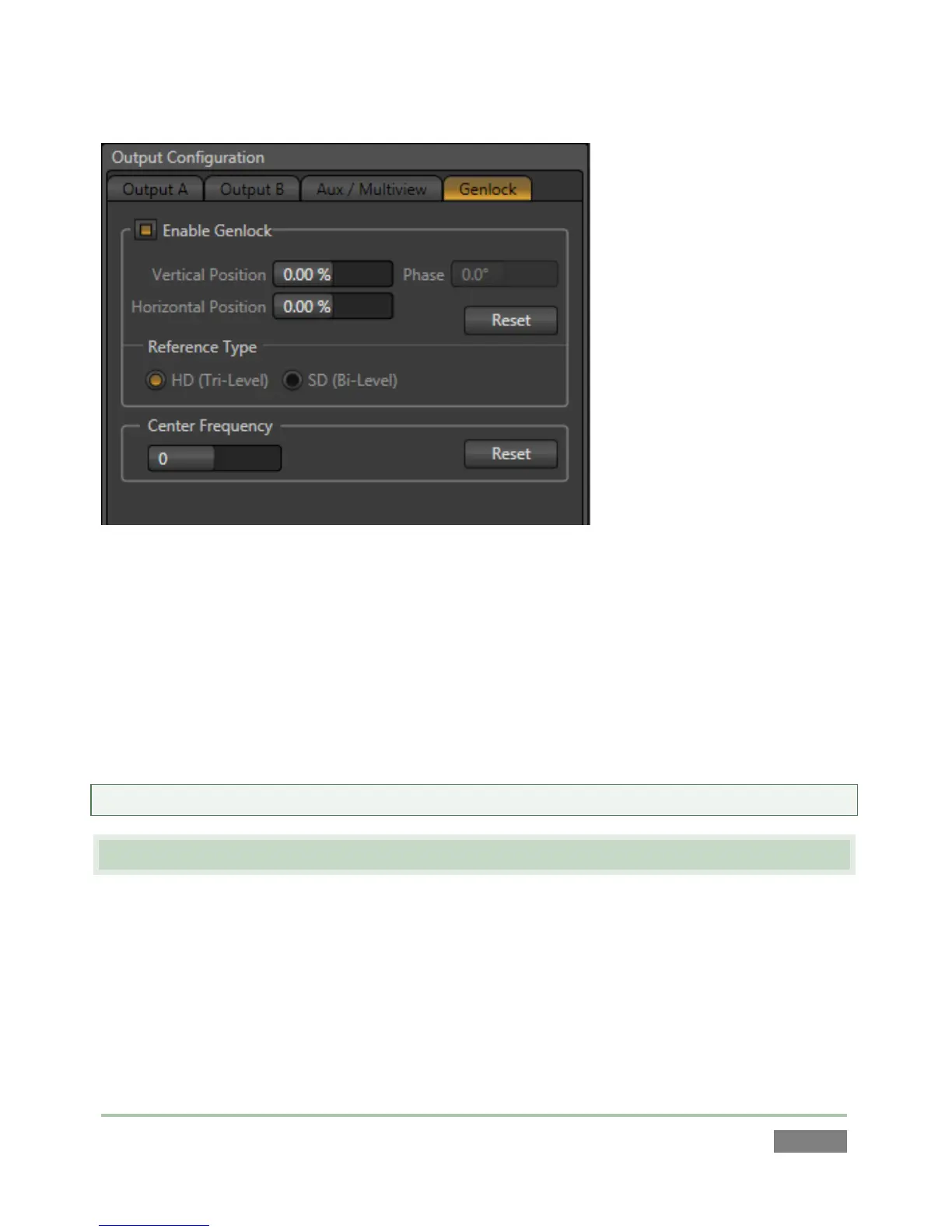
Figure 32
3. With the aid of downstream Waveform and Vector Scopes, adjust 3Play’s Horizontal and
Vertical Position and Phase settings.
Again, ideally both the cameras and 3Play™ should be genlocked. If cameras are not genlocked
to the same reference signal as the 3Play, a TBC (Time Base Correction) operation is
automatically applied. Time Base Correction may drop or insert frames as necessary to maintain
sync, hence it is a less desirable approach.
Note: For a deeper explanation of genlocking, please see Section 7.1.3.
3.10 CONFIGURE VIDEO INPUT
Let’s continue by configuring the video sources you connected earlier (Section 3.4):
1. With the Replay Desktop open, roll your mouse into the titlebar of any input monitor.
2. Notice that a Configure button (gear icon) is highlighted at right in the titlebar of the
input monitor as you do so.



 To Next Page