Page | 166
A.7.3 ACCESS WINDOWS™?
1. If necessary, close the Replay Desktop by clicking the [x] button at the right-hand end of
the titlebar.
2. Click the Shutdown icon on the icon ring in Startup.
3. Click the Exit to Windows link at right (and confirm the warning dialog).
A.7.4 RETURN TO THE STARTUP SCREEN FROM THE WINDOWS™ DESKTOP
Double-click the 3Play™ icon on the Windows™ desktop to return to 3Play’s Startup screen.
A.8 MORE QUESTIONS AND ANSWERS
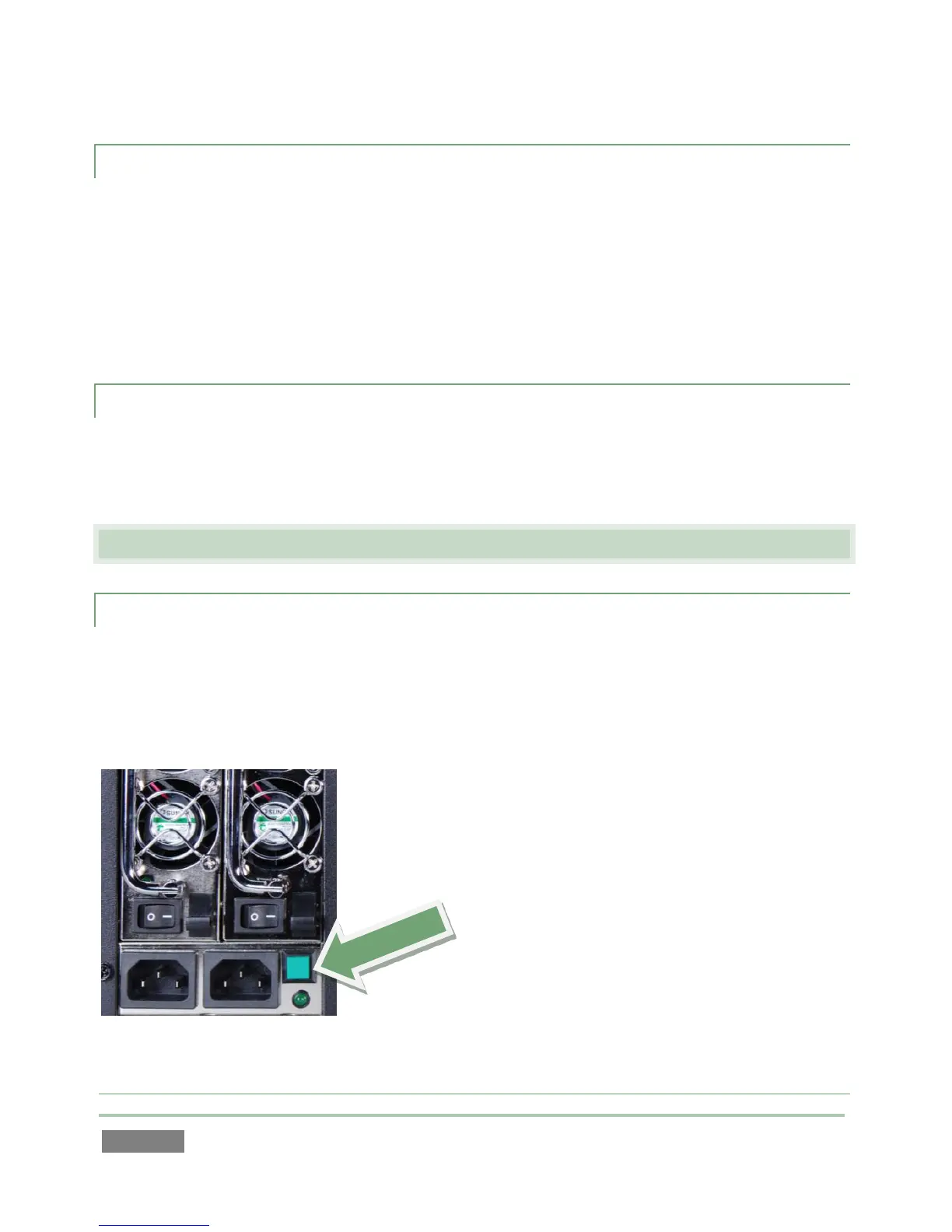
A.8.1 WHY IS MY POWER SUPPLY BEEPING?
NewTek 3Play™ 3PXD820 has redundant, replaceable power supply units. When you i)
disconnect or ii) power down just one of the modules, or iii), if a PSU should fail, a beep is
sounded to alert you. If you wish, you can mute the alert by pressing the green button on the
back of the unit.



 To Next Page