Page | 89
Likewise, the output VU meters provide confidence that you are supplying audio to the outputs.
More importantly, you can monitor audio levels to be sure you are not overdriving the system,
which would result in clipping of the signal.
7.2.5 TIMECODE CONFIGURATION
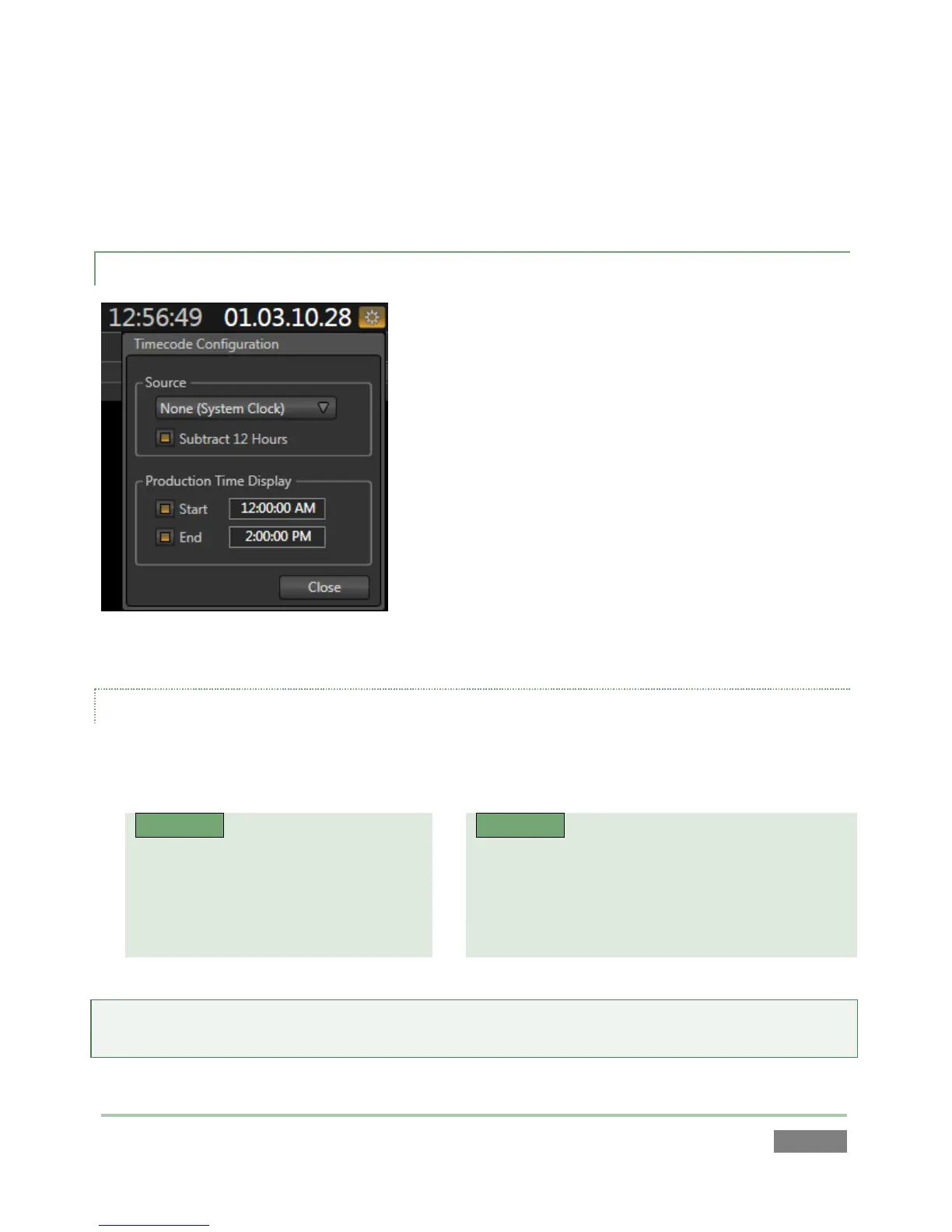
NewTek 3Play™ can supply timecode from its internal
system clock, or can refer to an external LTC (Linear
Timecode) source supplied to 3Play™ inputs (see Section
3.4.3).
This timecode is embedded in video files captured during
the session. A Configuration button (gear) beside the
Timecode display in the Desktop’s titlebar opens the
Timecode Configuration panel.
Figure 78
SOURCE
The Source control group holds a menu allowing you to select between timecode sources labeled
as follows:
3PLAY™ 425
None (System Clock)
External LTC (Input 3 Mic )
External LTC (Input 3 Line)
1/8” Mic (Mic Level, Red)
1/8” Mic (Line Level, Blue)
Hint: If the LTC source fails, the system automatically reverts to Internal (System Clock) after a
moment or two (an error flash message is displayed in the Status Bar – see Section 6.5.1).



 To Next Page