Page | 26
3.6 STARTING A SESSION
If 3Play™ is not already running, power it up now to reveal the Startup Screen. (If 3Play™ is
already running, and is in the Replay Desktop or another area of the interface, you may need to
click the small [x] button at upper-right to exit, or click the Back arrow at upper-left in the Session
Page to return to the Home Page.)
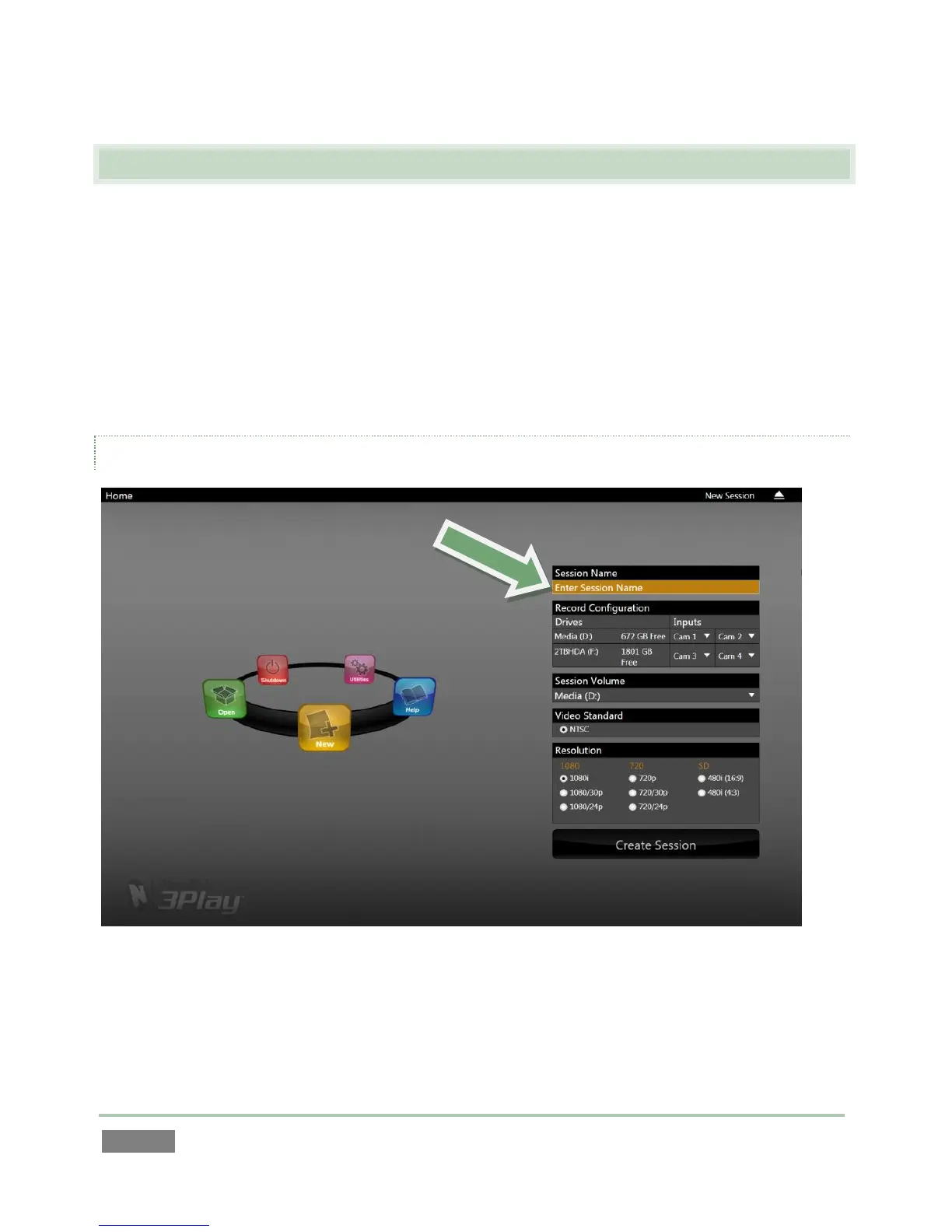
The Startup Screen consists of two similar screens – the Home page and the Session page.
Among other things, the Home page is where you choose basic 3Play™ session settings (see
Section 5.1 for a discussion of sessions).
THE HOME PAGE
Figure 25
When no previously created sessions exist, the icon ring dominating the Home page defaults to
New, inviting you to create a new session.



 To Next Page