Page | 29
Additionally, however, you will likely also
connect external devices to the VIDEO OUT
connectors on 3Play’s backplate (see Section
3.5). High definition devices will be connected to
either SDI or Component connections, while
other connection types are available for SD
devices and sessions.
3.7.1 SD ANALOG CONFIGURATION
For standard definition monitoring, however,
several types of analog connections are currently
in popular use. These include Composite, Y/C
(also known as S-Video) and – at the upper end
of the analog quality range – Component. To
connect an analog standard definition monitor
for use in live production, you must specify the
connection type in the Output Configuration
panel.
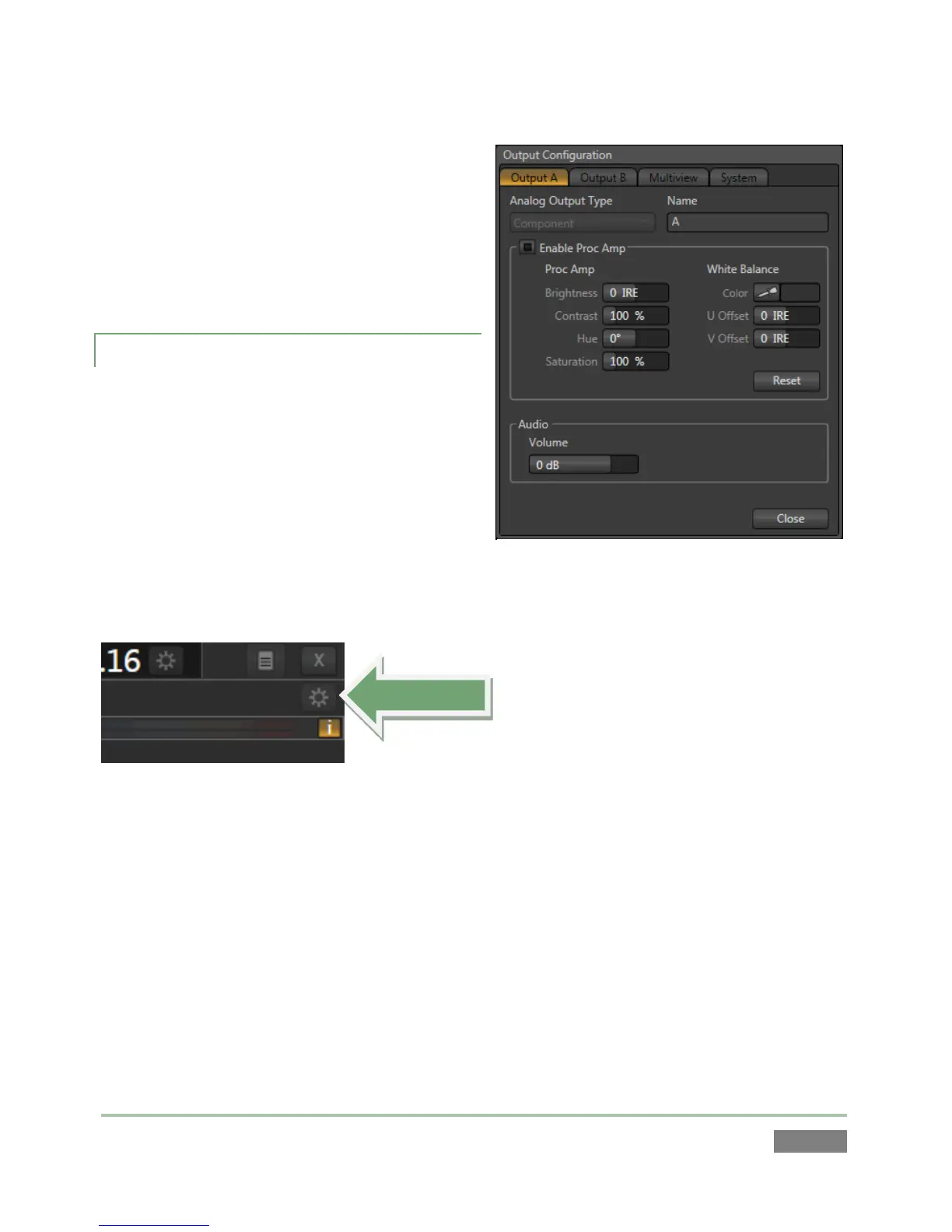
Figure 30
1. Move your mouse pointer over the Output Configuration button, identified by a gear
icon as shown in Figure 30, and found at upper-right on the Replay Desktop just below
the Close button. Click here to open Output Configuration.
The first two tabs in this panel are labeled Output A and Output B. Located at the top of both of
these tabs is a menu allowing you to select the Analog Output Type for the associated output
channel, A or B (see Figure 29).
For SD sessions, Component or Composite + Y/C Analog Output Type alternatives are available.
For HD sessions, Component is the only valid option, so the menu is locked.



 To Next Page