Page | 83
A discussion of these adjustments goes beyond the scope of this manual, but a quick online
search for the keywords “genlock” and “adjust” turns up a number of excellent references.
REFERENCE TYPE
The ‘bi-level’ reference signal long used for standard definition television is often used for
genlocking both SD and HD installations. However, if you are supplying an HD reference signal to
the Genlock input (and your other equipment), select the HD (Tri-level) switch in the Reference
Type area of the Genlock tab.
Note: Reference Type options do not appear for SD sessions.
7.1.4 CENTER FREQUENCY
This setting is applied when a Genlock reference signal is not in use. To adjust the setting, supply
color bars to an input, pass that through to a video output, and then to a downstream
vectorscope. The vectorscope display is completely stable when Center Frequency is properly
adjusted.
7.2 INPUT CONFIGURATION
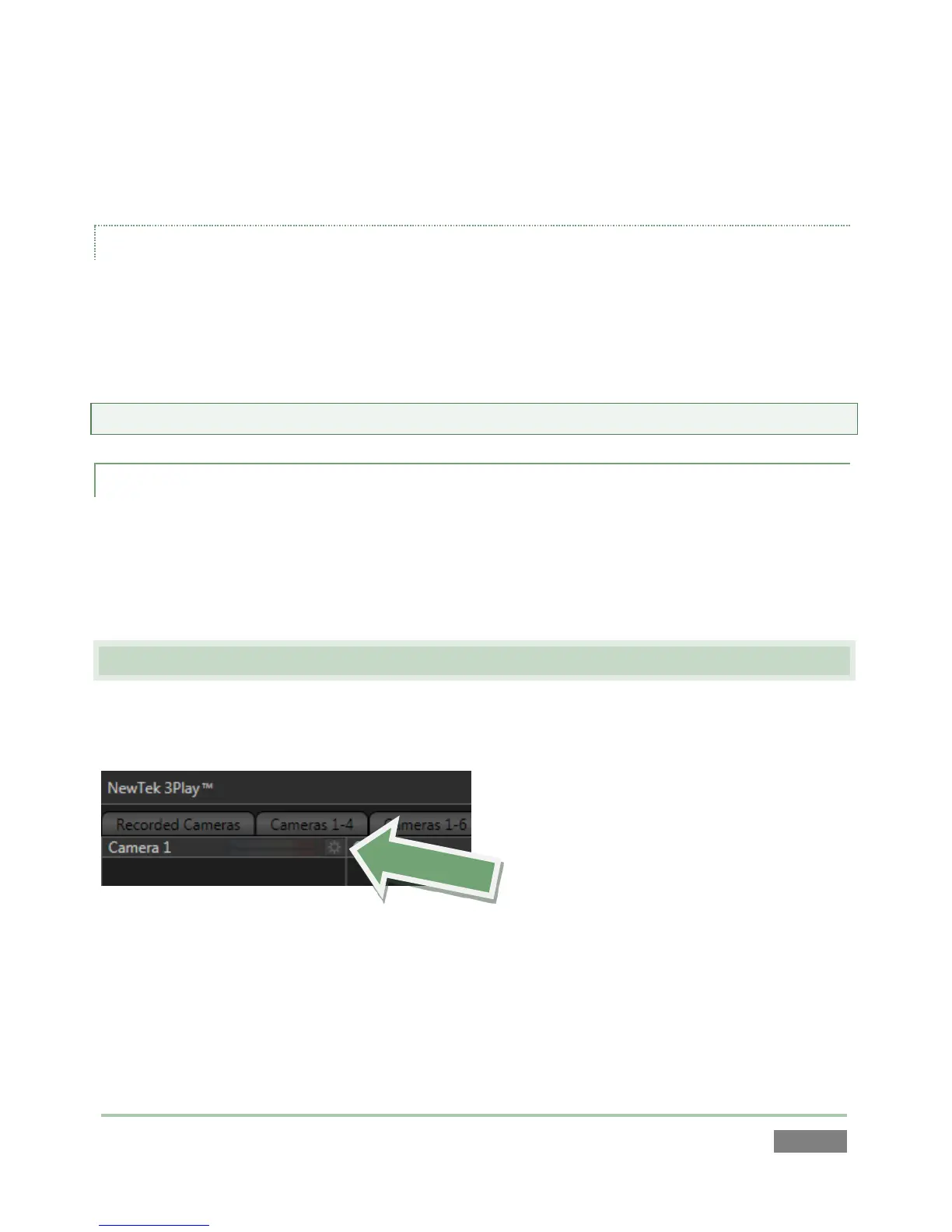
The input preview monitors also have contextual tools that appear when you roll the mouse
pointer over them (Figure 74).
Figure 74
The Configure button (gear) in the titlebar for an input monitor brightens when you roll the
mouse pointer over it. Clicking it opens the Configuration panel for a specific source (Figure 75).
The upper portion of input configuration panels is devoted to video-related settings, while the
lower part has audio controls.



 To Next Page