Page | 9
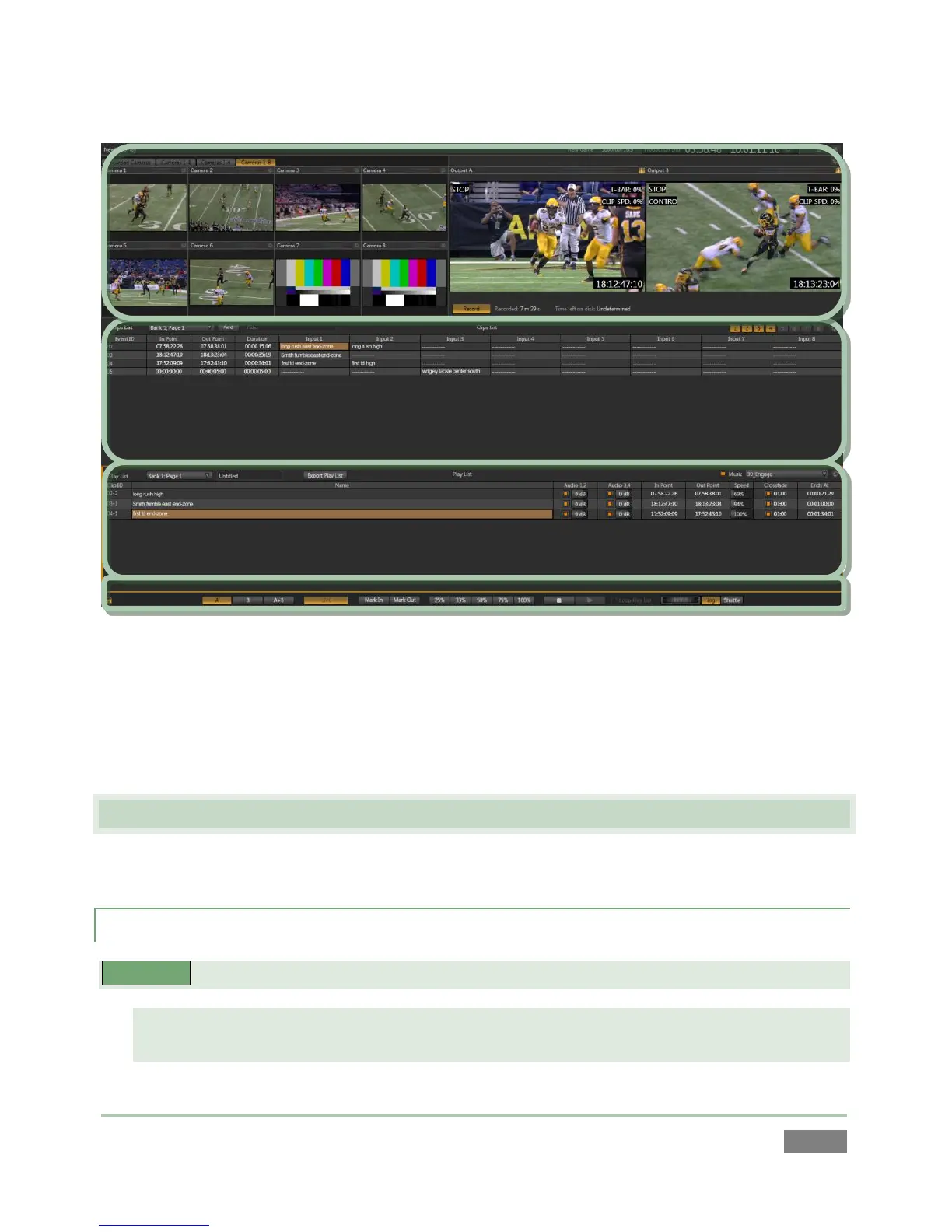
Figure 5
The uppermost area is devoted to monitoring. The spreadsheet-like Clips List is centrally located,
beneath the monitoring section. Below this you will see the Play list, which allows you to create
and control more complex sequences (such as highlight reels). A slender Dashboard can
optionally be shown at the very bottom of the Replay Desktop.
2.6 FEATURES
Here’s a brief overview of just some of 3Play’s key features:
2.6.1 PHYSICAL
3PLAY™ 820
Rugged 4U rack-mount case with redundant power supplies ensures robust and reliable
performance in fixed or mobile installations.



 To Next Page