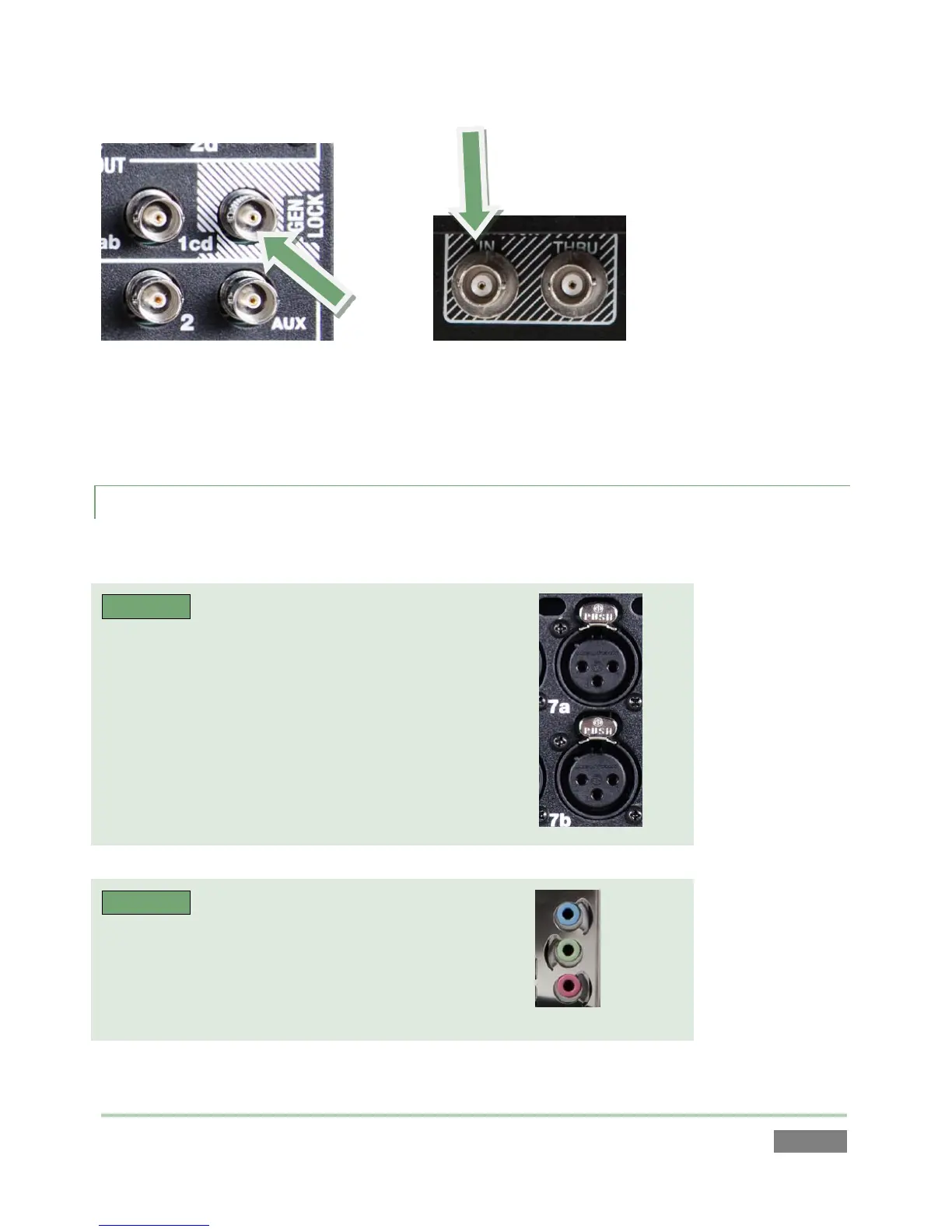
If your equipment allows you to do so, you should genlock 3Play™ and all cameras you configure
as sources for it (see your camera manual for details). To do so, supply the reference signal from
the ‘house sync generator’ to 3Play’s Genlock input connector.
3.4.3 TIMECODE CONNECTION
3Play™ supports external linear timecode (LTC).
3PLAY™ 820
Connect the cable from your timecode generator to
one of the connectors in the Audio Input 7 group.
3PLAY™ 425
Connect the cable from your timecode generator to
one of the connectors in the Audio Input 3 group
OR, connect it to either the blue or red 1/8” audio
inputs (Figure 21).
External timecode is enabled and configured in the Replay Desktop (see Section 7.2.5).



 To Next Page