NIBE FIGHTER 1250
E
Changing parameters
Control
Menu mode: [N] Normal, [E] Extended, [S] Service
Changing a parameter (value):
Access the required menu.
!
Press the enter button, the numerical value starts to !
fl ash.
Increase or decrease the value with the Plus/Minus
!
buttons.
Confi rm by pressing the enter button. !
Menu 1.0 is automatically displayed again 30 minutes !
after pressing the last button..
Example
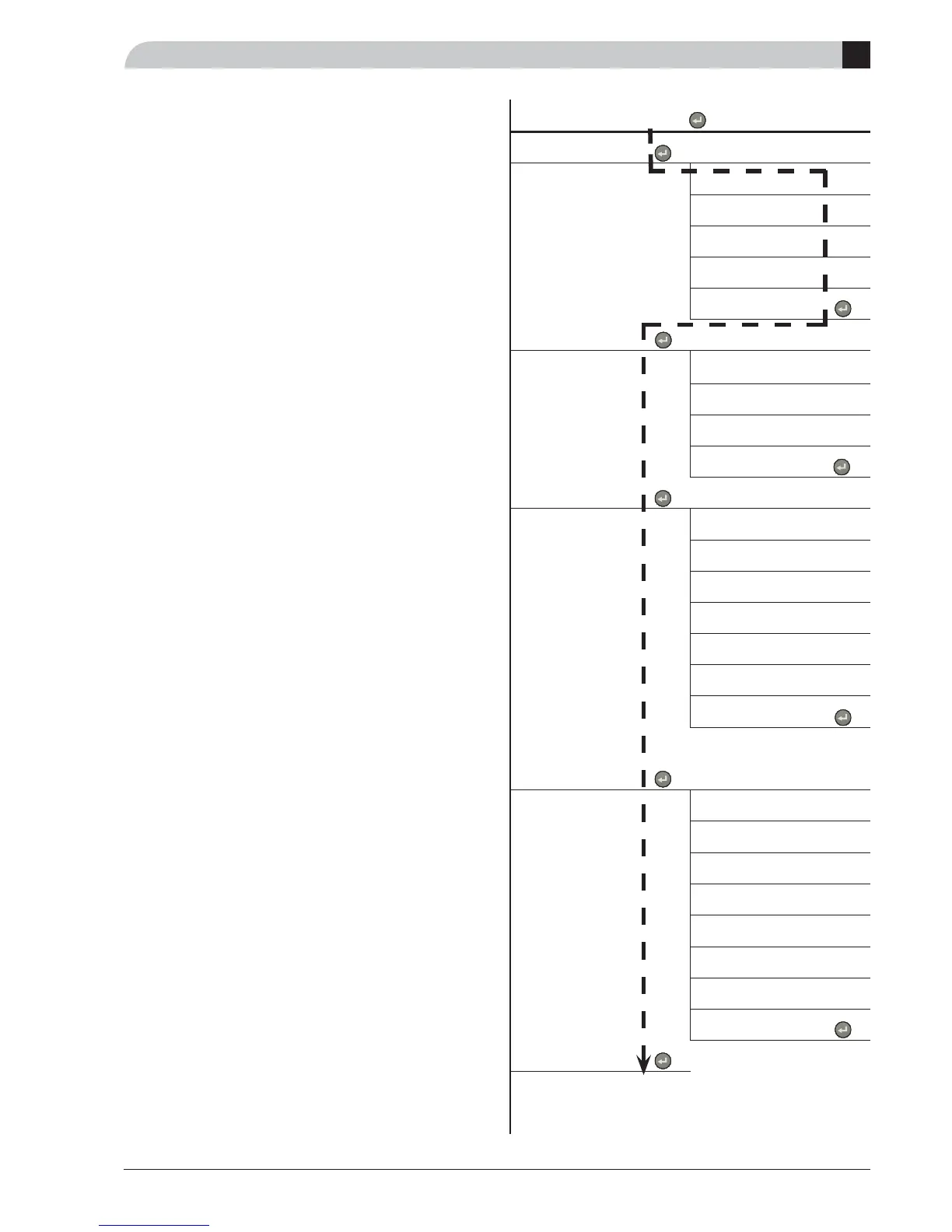
Changing the Menu type/Service mode menu 8.1.1.
The starting point is menu 1.0.
!
Press the plus button to move to menu 8.0. !
Press the enter button to move to menu 8.1.0. !
Press the enter button to move to menu 8.1.1. !
Press the enter button to allow the value to be changed. !
Change the value using the plus or minus button. !
Confi rm the chosen value by pressing the enter button. !
Press the minus button to move to menu 8.1.5. !
Press the enter button to move to menu 8.1.0. !
Press the minus button to move to menu 8.5. !
Press the enter button to move to menu 8.0. !
Press the plus button to move to menu 1.0. !
8.0 Other settings
[N]
8.1.0 Display settings [N]
8.1.1 Menu type [N]
8.1.2 Language [N]
8.1.3 Contrast [E]
8.1.4 Light intensity [E]
8.1.5 Return till 8.1.0 [N]
8.2.0 Operating mode [E]
8.2.1 Summer mode temp [E]
8.2.2 Winter mode temp [E]
8.2.3 Allow electric heat [E]
8.2.4 Return to 8.2.0 [E]
8.3.0 Current limiter [E]
8.3.1 Current phase 1 [E]
8.3.2 Current phase 2 [E]
8.3.3 Current phase 3 [E]
8.3.4 Fuse size [E]
8.3.5 Max elec. step [E]
8.3.6 EBV Value [E]
8.3.7 Return to 8.3.0 [E]
8.4.0 Pool adjustments [E]
8.4.1 Pooltemp./Setting [E]
8.4.2 Diff. Pool/min-temp [E]
8.4.3 Pool time [E]
8.4.4 Comp speed pool [E]
8.4.5 Circ-pump speed pool [E]
8.4.6 Pool heating [E]
8.4.7 Pool run time [E]
8.4.8 Return to 8.4.0 [E]
8.5 Return to 8.0 [N]



 To Next Page