109
N
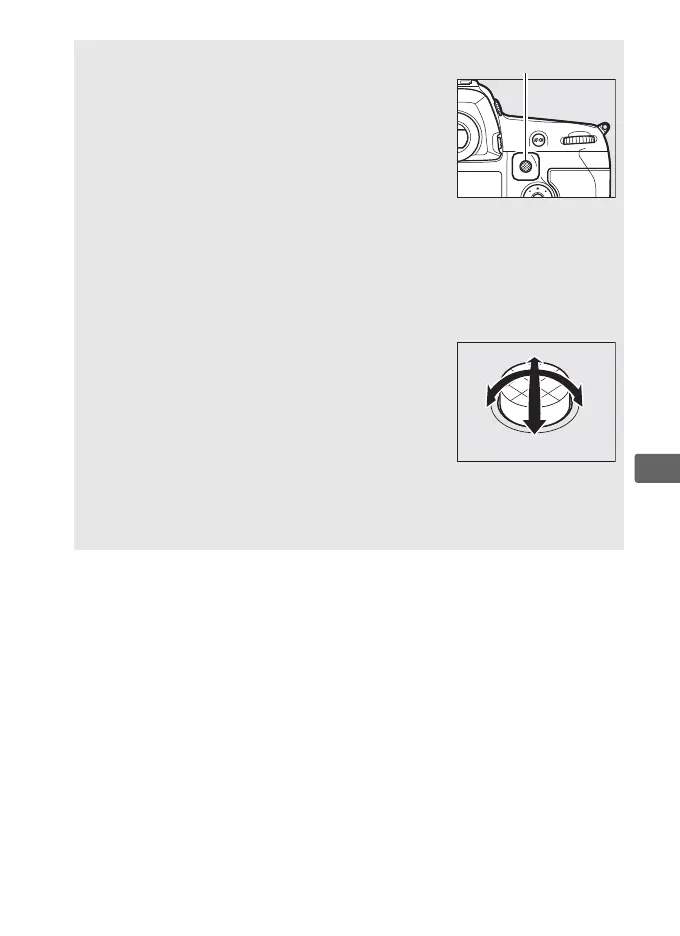
A The Sub-selector
The sub-selector can be used in place of the
multi selector to select the focus point.
Focus
and exposure lock while the center of the sub-
selector is pressed (0 111, 141).
Be careful not
to put your fingers or fingernails in your eye
when using the sub-selector.
A Portrait (Tall-Orientation) Photographs
When framing shots in portrait (“tall”) orientation, use the multi selector
for vertical shooting to select the focus point.
For more information, see
Custom Setting f1 (Custom control assignment) > Multi selector for
vertical shooting (0 354).
A Using the Sub-selector and Multi Selector
for Vertical Shooting
Use as shown at right.
Pressing the sides may
not have the desired effect.
A Auto-area AF
The focus point for auto-area AF is selected automatically; manual
focus-point selection is not available.



 To Next Page