299
U
Copy pictures from one memory card to another.
This option is
only available when two memory cards are inserted in the camera.
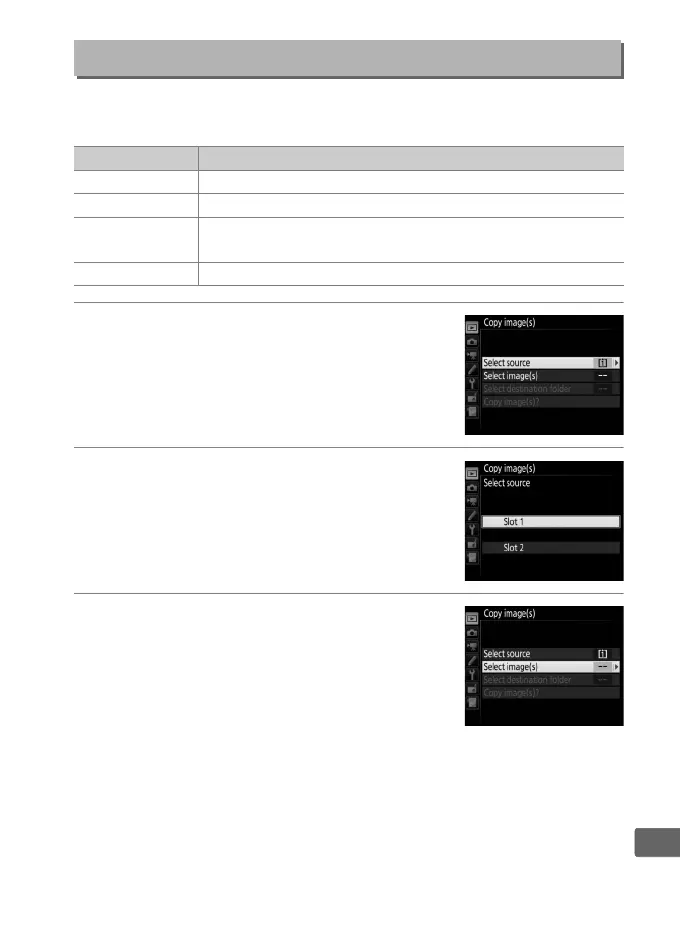
1 Choose Select source.
Highlight Select source and press 2.
2 Select the source card.
Highlight the slot for the card containing
the images to be copied and press J.
3 Choose Select image(s).
Highlight Select image(s) and press 2.
Copy Image(s)
G button ➜ D playback menu
Option Description
Select source Choose card from which pictures will be copied.
Select image(s) Select pictures to be copied.
Select destination
folder
Select destination folder on remaining card.
Copy image(s)? Copy selected pictures to specified destination.



 To Next Page