18
s
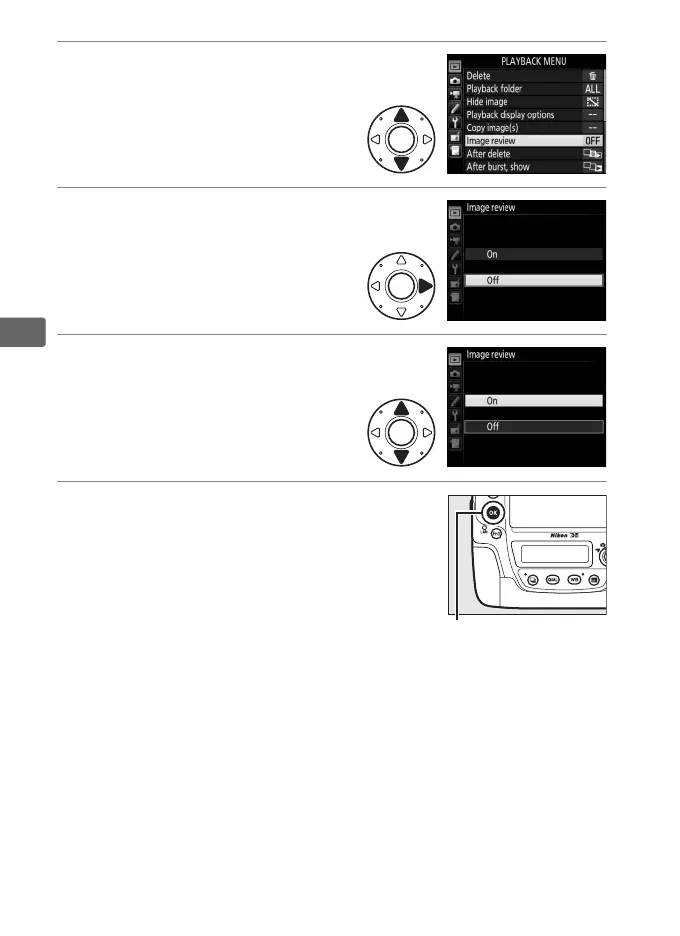
5 Highlight a menu item.
Press 1 or 3 to highlight a
menu item.
6 Display options.
Press 2 to display options for
the selected menu item.
7 Highlight an option.
Press 1 or 3 to highlight an
option.
8 Select the highlighted item.
Press J to select the highlighted item.
To
exit without making a selection, press the
G button.
Note the following points:
• Menu items that are displayed in gray are not currently available.
• While pressing 2 or the center of the multi selector generally
has the same effect as pressing J, there are some items for
which selection can only be made by pressing J.
• To exit the menus and return to shooting mode, press the
shutter-release button halfway (0 40).



 To Next Page