48
x
Autofocus
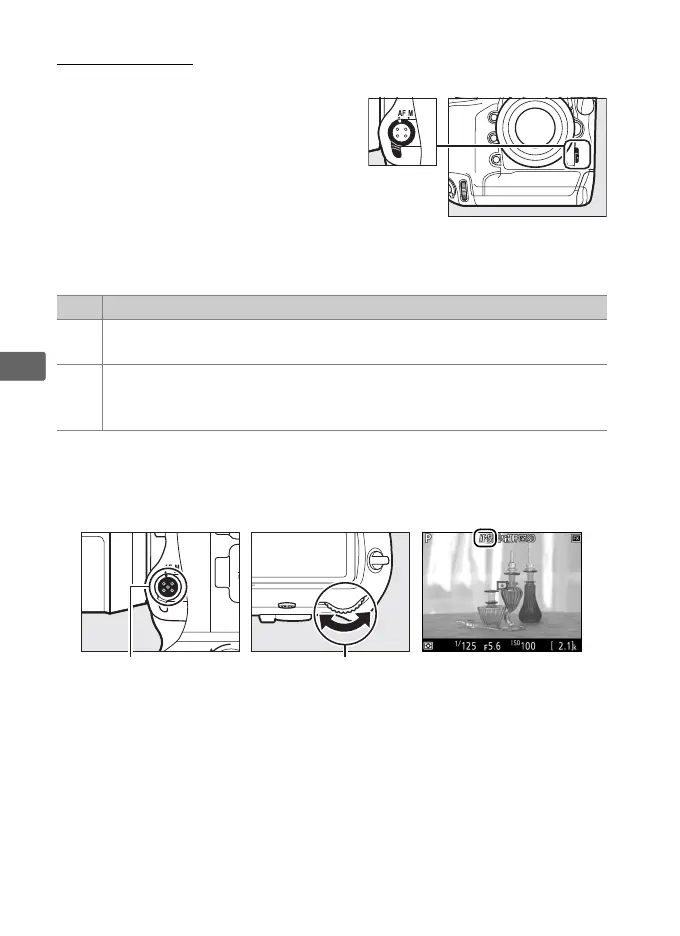
To take pictures using autofocus,
rotate the focus-mode selector to AF.
❚❚ Choosing a Focus Mode
The following autofocus modes are available in live view:
To choose an autofocus mode, press the AF-mode button and
rotate the main command dial until the desired mode is displayed
in the monitor.
Mode Description
AF-S
Single-servo AF: For stationary subjects.
Focus locks when shutter-
release button is pressed halfway.
AF-F
Full-time-servo AF: For moving subjects.
Camera focuses
continuously until shutter-release button is pressed.
Focus locks
when shutter-release button is pressed halfway.
AF-mode button Main command dial Monitor



 To Next Page