308
U
Photo shooting menu options are stored in one of four banks.
With the exceptions of Extended photo menu banks, Multiple
exposure, Interval timer shooting, and modifications to Picture
Controls (quick adjust and other manual adjustments), changes to
settings in one bank have no effect on the others.
To store a
particular combination of frequently-used settings, select one of the
four banks and set the camera to these settings.
The new settings
will be stored in the bank even when the camera is turned off, and
will be restored the next time the bank is selected.
Different
combinations of settings can be stored in the other banks,
allowing the user to switch instantly from one combination to
another by selecting the appropriate bank from the bank menu.
The default names for the four photo shooting menu banks are A,
B, C, and D.
A descriptive caption up to 20 characters long can be
added as described on page 185 by highlighting the menu bank
and pressing 2.
Photo Shooting Menu Bank
G button ➜ C photo shooting menu
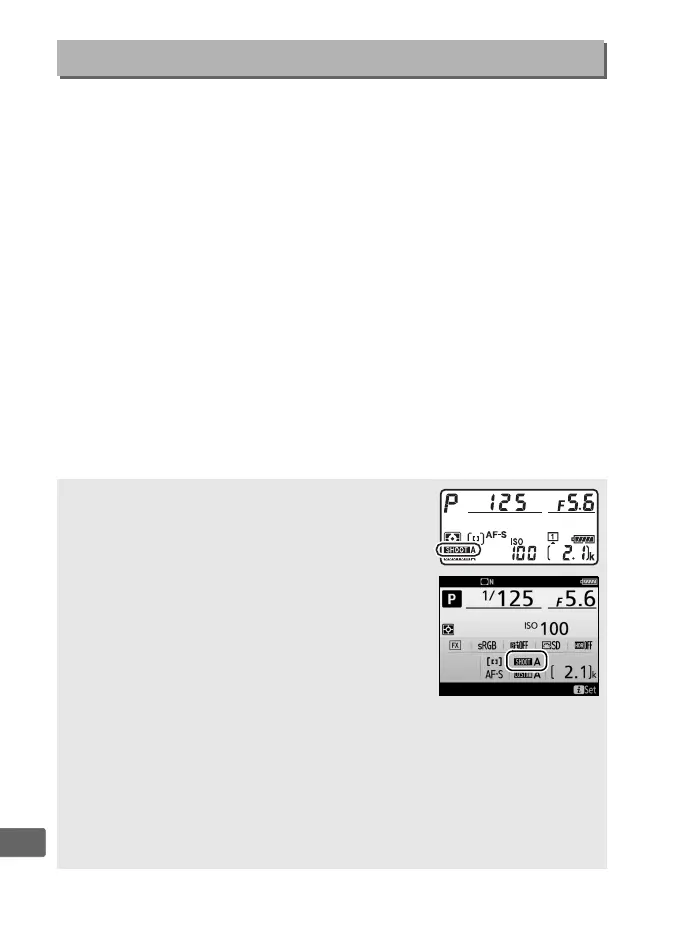
A Photo Shooting Menu Bank
The top control panel and information displays
show the current photo shooting menu bank.
A See Also
Exposure and flash modes, shutter speed, and aperture can be included
in photo shooting menu banks using the Extended photo menu
banks option in the photo shooting menu (0 309).
For information on
using the controls on the camera body to select the photo shooting
menu bank, see Custom Setting f1 (Custom control assignment,
0 344).



 To Next Page