391
U
Creating Retouched Copies
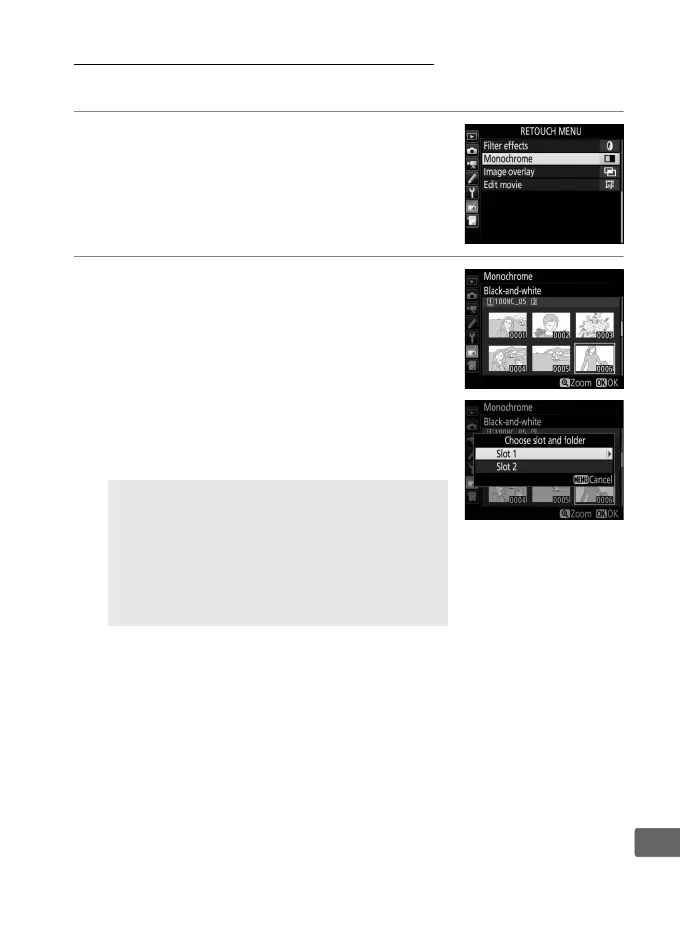
To create a retouched copy:
1 Select an item in the retouch menu.
Press 1 or 3 to highlight an item, 2 to
select.
2 Select a picture.
Highlight a picture and press J.
To view
the highlighted picture full screen, press
and hold the X button.
To view images in other locations, press
W (M) and select the desired card and
folder as described on page 247.
A Retouch
In the case of images recorded at image
quality settings of NEF + JPEG, only the NEF
(RAW) image will be retouched.
The camera
may not be able to display or retouch
images created with other devices.



 To Next Page