397
U
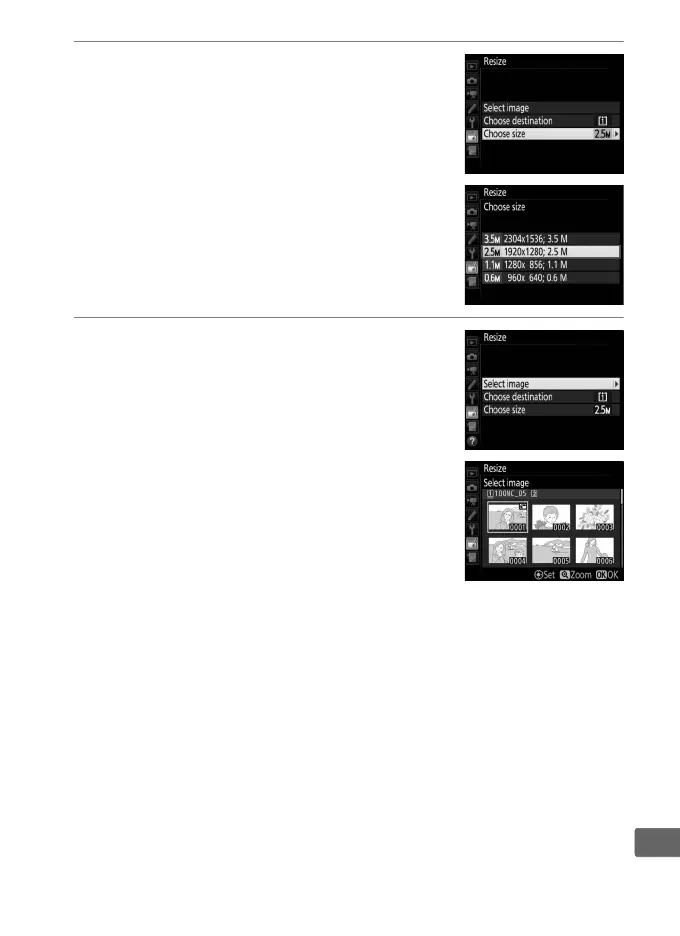
3 Choose a size.
Highlight Choose size and press 2.
The options shown at right will be
displayed; highlight an option and press
J.
4 Choose pictures.
Highlight Select image and press 2.
Highlight pictures and press the center of
the multi selector to select or deselect (to
view the highlighted picture full screen,
press and hold the X button; to view
pictures in other locations as described
on page 247, press W/M).
Selected
pictures are marked by a 8 icon.
Press J when the selection
is complete.
Note that photographs taken at an image-area
setting of 5 : 4 (0 88) can not be resized.



 To Next Page