88
d
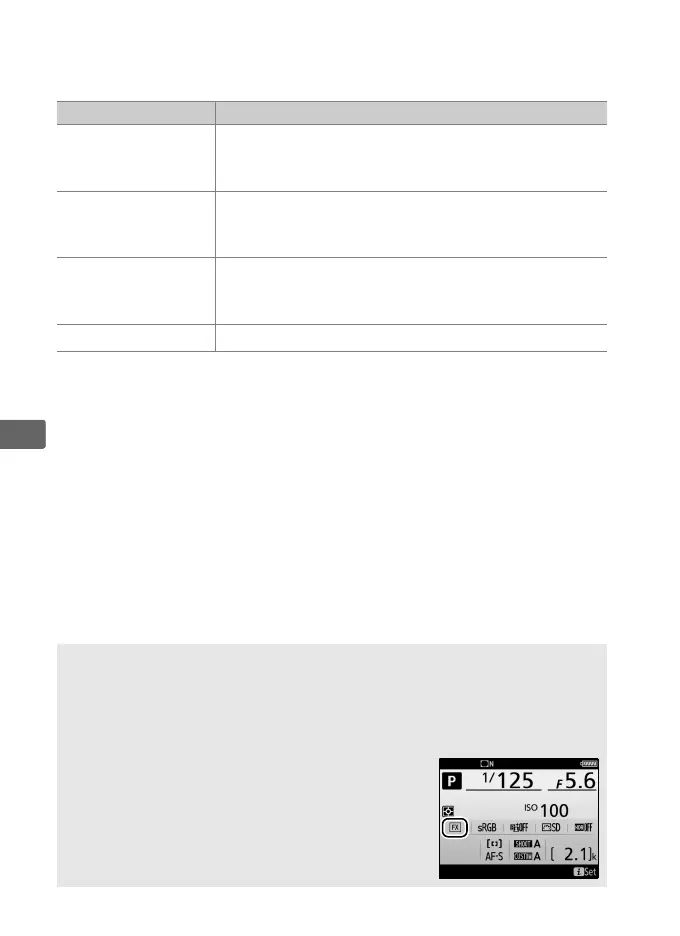
❚❚ Image Area Options
The camera offers a choice of the following image areas:
❚❚ Automatic Crop Selection
To automatically select to a DX crop when a DX lens is attached,
select On for Image area > Auto DX crop in the photo shooting
menu (0 307).
The image area selected in the photo shooting
menu or with the camera controls will be used only when a non-
DX lens is attached.
Select Off to use the currently-selected image
area with all lenses.
Option Description
c
FX (36×24) 1.0×
Images are recorded in FX format with an angle of
view equivalent to a NIKKOR lens on a 35 mm
format camera.
Z
1.2× (30×20) 1.2×
Selecting this option reduces the angle of view and
increases the apparent focal length of the lens by
approximately 1.2×.
a
DX (24×16) 1.5×
Images are recorded in DX format.
To calculate the
approximate focal length of the lens in 35 mm
format, multiply by 1.5.
b
5 : 4 (30×24) Pictures are recorded with an aspect ratio of 5 : 4.
D Auto DX Crop
The controls listed on page 91 can not be used to select image area
when a DX lens is attached and Auto DX crop is on.
A Image Area
The selected option is shown in the information
display.



 To Next Page