63
y
Indices
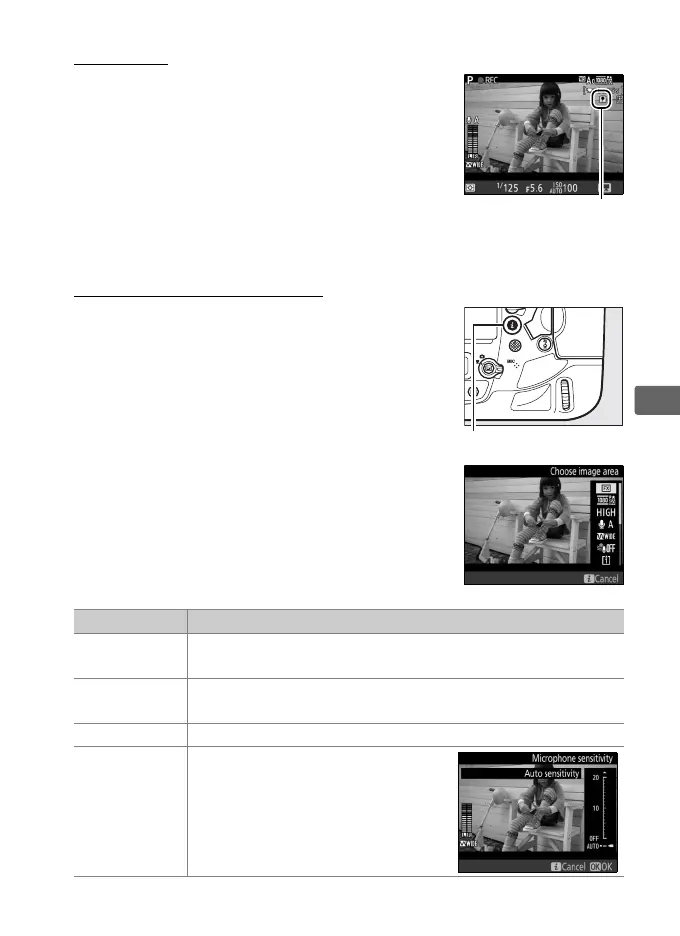
If Index marking is assigned to a control
using Custom Setting g1 (Custom control
assignment, 0 360), you can press the
selected control during recording to add
indices that can be used to locate frames
during editing and playback (0 81).
Up to 20
indices can be added to each movie.
Using the i Button
The options listed below can be accessed by
pressing the i button in movie mode.
Highlight items using the multi selector and
press 2 to view options for the highlighted
item.
After choosing the desired setting,
press J to return to the i-button menu.
Press the i button again to exit to the
shooting display.
Option Description
Choose image
area
Choose image area for movies (0 70).
Frame size/
frame rate
Select a frame size and rate (0 67).
Movie quality Choose movie quality (0 67).
Microphone
sensitivity
Press 1 or 3 to adjust
microphone sensitivity (0 319).



 To Next Page