64
y
Frequency
response
Control the frequency response of the built-in
microphone (0 319).
Wind noise
reduction
Enable or disable wind noise reduction using the built-in
microphone’s low-cut filter (0 320).
Destination
When two memory cards are inserted, you can choose
the card to which movies are recorded (0 317).
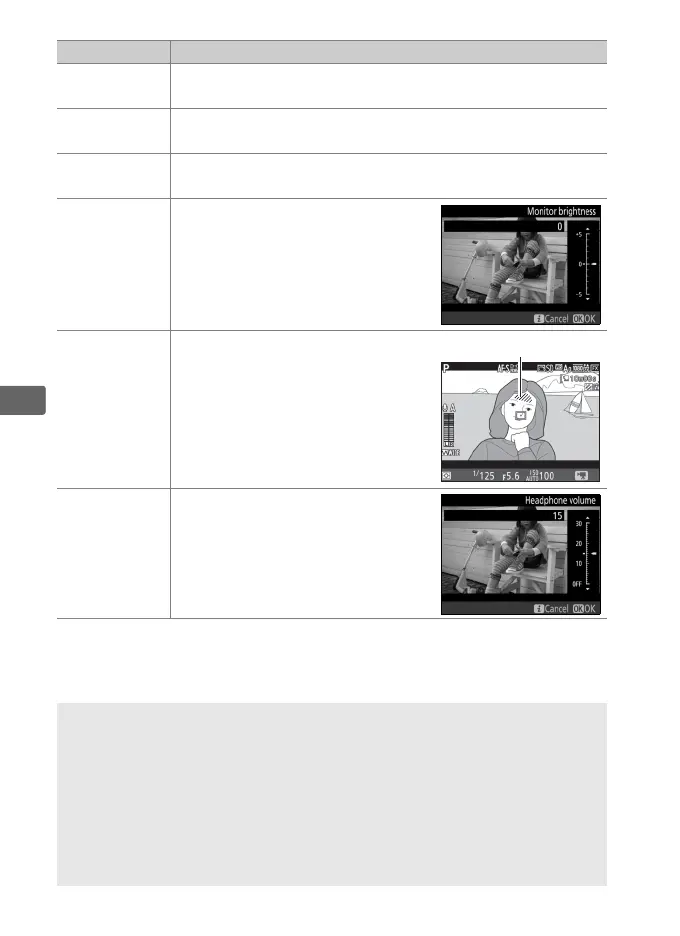
Monitor
brightness
Press 1 or 3 to adjust monitor
brightness (note that this affects
live view only and has no effect
on photographs or movies or on
the brightness of the monitor for
menus or playback; 0 51).
Highlight
display
Choose whether the brightest
areas of the frame (highlights) are
shown by slanting lines in the
display.
Headphone
volume
Press 1 or 3 to adjust
headphone volume.
A Using an External Microphone
The optional ME-1 stereo microphone or ME-W1 wireless microphone
can be used to record sound for movies (0 429).
A Headphones
Third-party headphones can be used.
Note that high sound levels may
result in high volume; particular care should be taken when
headphones are used.
Option Description



 To Next Page