357
U
This option controls the operation of the main and sub-command
dials.
f4: Customize Command Dials
G button ➜ A Custom Settings menu
Option Description
Reverse
rotation
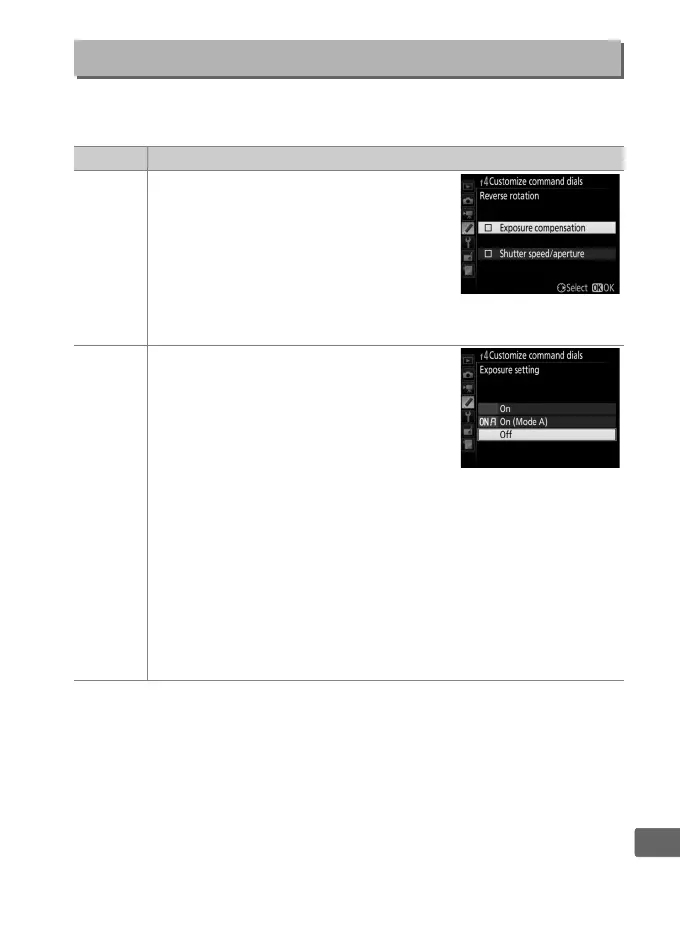
Reverse the direction of rotation of the
command dials when they are used to
make adjustments to Exposure
compensation and/or Shutter speed/
aperture.
Highlight options and press
2 to select or deselect, then press J.
This setting also applies to the
command dials for vertical shooting.
Change
main/sub
Exposure setting: If Off is selected, the
main command dial controls shutter
speed and the sub-command dial
controls aperture.
If On is selected, the
main command dial will control
aperture and the sub-command dial
shutter speed.
If On (Mode A) is
selected, the main command dial will be used to set aperture
in exposure mode A only.
Autofocus setting: If On is selected, autofocus mode can be
selected by keeping the AF-mode button pressed and rotating
the sub-command dial, AF-area mode by keeping the AF-mode
button pressed and rotating the main command dial.
These settings also apply to the command dials for vertical
shooting.



 To Next Page