51
x
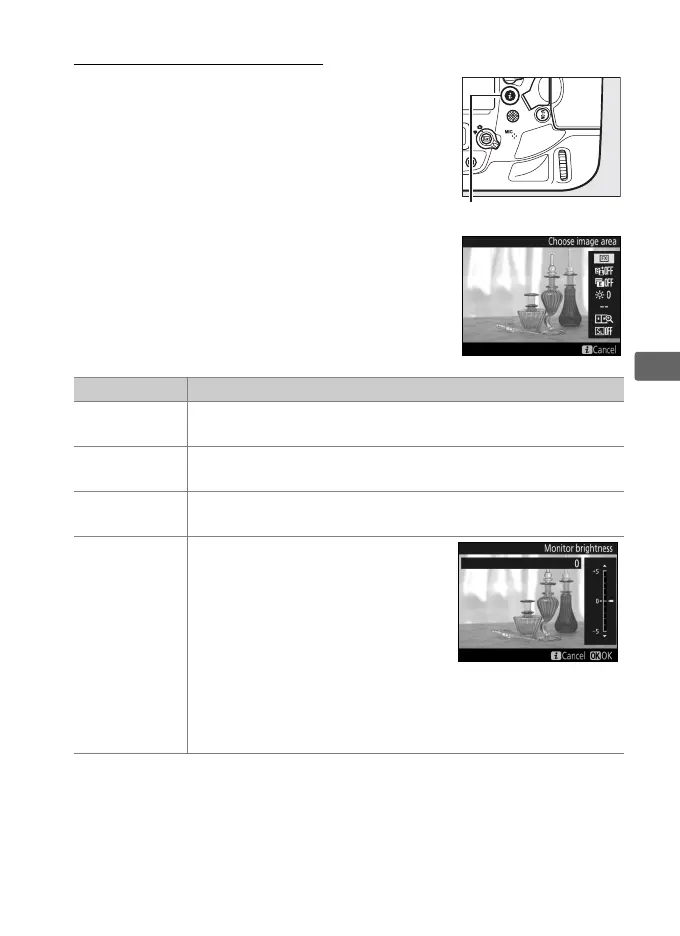
Using the i Button
The options listed below can be accessed by
pressing the i button during live view
photography.
Highlight items using the
multi selector and press 2 to view options
for the highlighted item.
After choosing the
desired setting, press J to return to the
i-button menu.
Press the i button again to
exit to the shooting display.
Option Description
Choose image
area
Choose an image area for live view photography (0 87).
Active
D-Lighting
Adjust Active D-Lighting (0 187).
Electronic front-
curtain shutter
Enable or disable the electronic front-curtain shutter for
mirror-up photography (0 338).
Monitor
brightness
Press 1 or 3 to adjust monitor
brightness for live view (note that
this affects live view only and has
no effect on photographs or
movies or on the brightness of
the monitor for menus or
playback; to adjust the brightness
of the monitor for menus and playback, use the Monitor
brightness option in the setup menu as described on
page 367).



 To Next Page