k
116
k
Release Mode
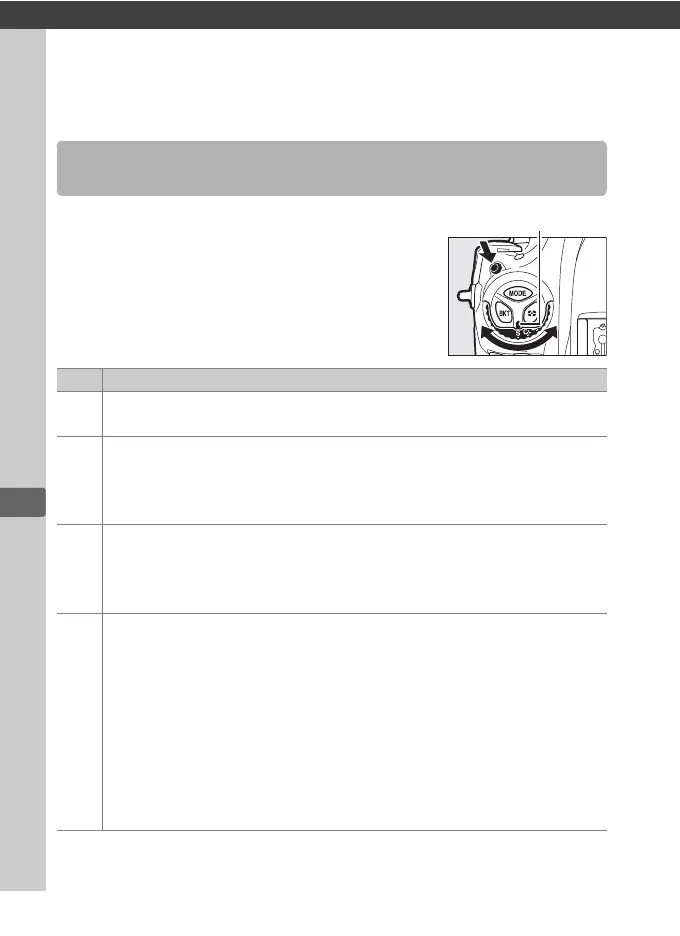
To choose a release mode, press the release
mode dial lock release and turn the release
mode dial so that the pointer aligns with the
desired setting.
Choosing a Release Mode
Mode Description
S
Single frame: The camera takes one photograph each time the
shutter-release button is pressed.
CL
Continuous low speed: The frame rate can be selected from values
between 1 and 10 fps by pressing the S button and rotating the
sub-command dial. The camera records photographs at the
selected rate while the shutter-release button is pressed (0 117).
CH
Continuous high speed: The frame rate can be selected by pressing the
S button and rotating the sub-command dial.
Choose from 10, 11,
12, and 14 fps.
The camera records photographs at the selected
rate while the shutter-release button is pressed (0 117).
Q
Quiet shutter-release: As for single frame, except that the mirror does
not click back into place while the shutter-release button is fully
pressed, allowing the user to control the timing of the click made
by the mirror, which is also quieter than in single frame mode.
In
addition, a beep does not sound regardless of the setting selected
for Beep in the setup menu (0 382). Continuous release can also
be selected by pressing S and rotating a command dial until bs is
displayed in the rear control panel, in which case the camera will
take pictures at about 3 fps while the shutter-release button is
pressed.



 To Next Page