119
k
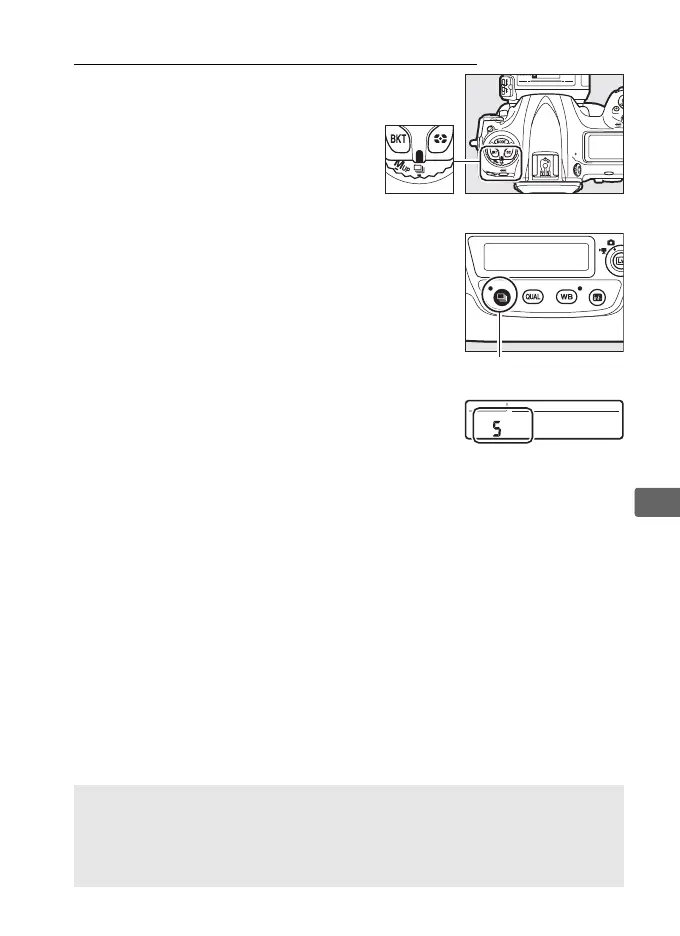
Quick Release-Mode Selection
When the release mode dial is
rotated to S, the release mode can
be selected by keeping the S
button pressed while rotating the
main command dial.
To adjust settings for the selected release
mode, press and hold the S button and
rotate the sub-command dial.
Release mode settings are shown in the rear
control panel.
A See Also
For information on choosing the release modes that can be selected
with the S button, see Custom Setting d3 (Limit release mode
selection, 0 337).



 To Next Page