165
r
Choosing a Color Temperature
Follow the steps below to choose a color temperature when K
(Choose color temp.) is selected for white balance.
❚❚ The White Balance Menu
Color temperature can be selected using the White balance
options in the photo shooting menu.
Enter values for the amber–
blue and green–magenta axes as described below.
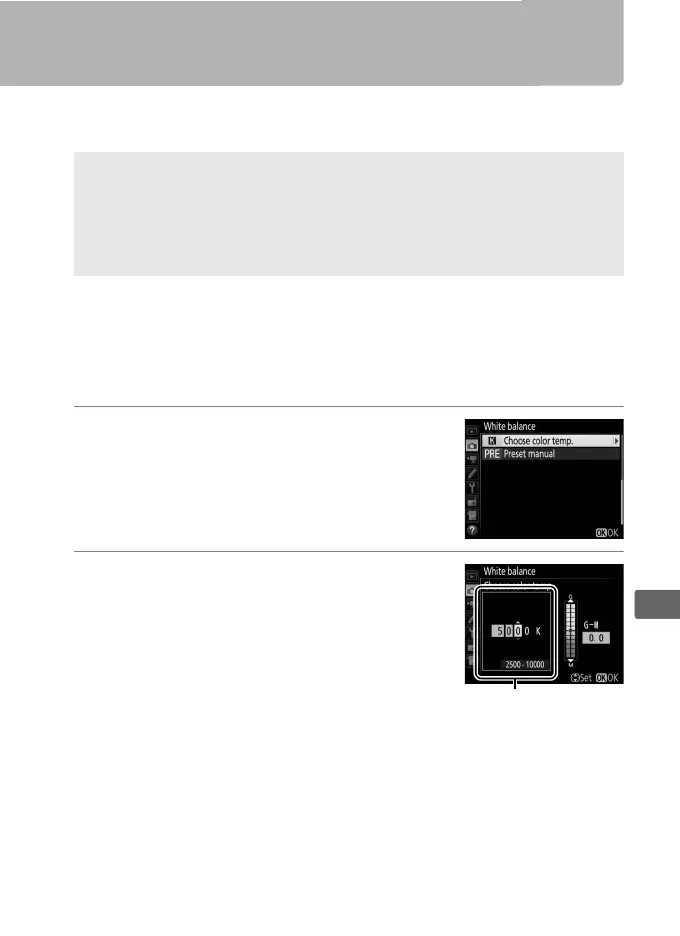
1 Select Choose color temp.
Select White balance in the photo
shooting menu, then highlight Choose
color temp. and press 2.
2 Select a value for amber-blue.
Press 4 or 2 to highlight digits and press
1 or 3 to change.
D Choose Color Temperature
Note that the desired results will not be obtained with flash or
fluorescent lighting.
Choose N (Flash) or I (Fluorescent) for these
sources.
With other light sources, take a test shot to determine if the
selected value is appropriate.
Value for amber (A)-
blue (B) axis



 To Next Page