155
Z
❚❚ ADL Bracketing
The camera varies Active D-Lighting over a series of exposures.
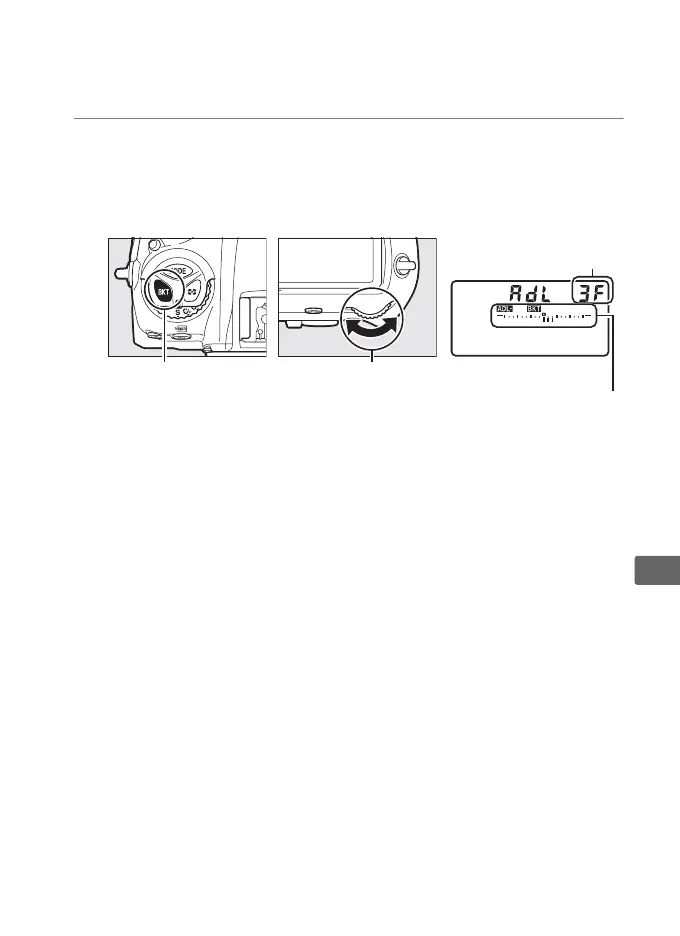
1 Choose the number of shots.
Pressing the BKT button, rotate the main command dial to
choose the number of shots in the bracketing sequence.
The
number of shots is shown in the top control panel.
At settings other than zero, a d icon and an ADL
bracketing indicator appear in the top control panel and M
will be displayed in the viewfinder.
Choose two shots to take
one photograph with Active D-Lighting off and another at a
selected value.
Choose three to five shots to take a series of
photographs with Active D-Lighting set successively to values
between Off and Normal (three shots), between Off and High
(four shots), or between Off and Extra high 1 or Low and
Extra high 2 (five shots).
If you choose more than two shots,
proceed to Step 3.
BKT button Main command dial
Number of shots
Top control panel
ADL bracketing
indicator



 To Next Page