183
J
D “A” (Auto)
Results for auto sharpening, clarity, contrast, and saturation vary with
exposure and the position of the subject in the frame.
Use a type G, E,
or D lens for best results.
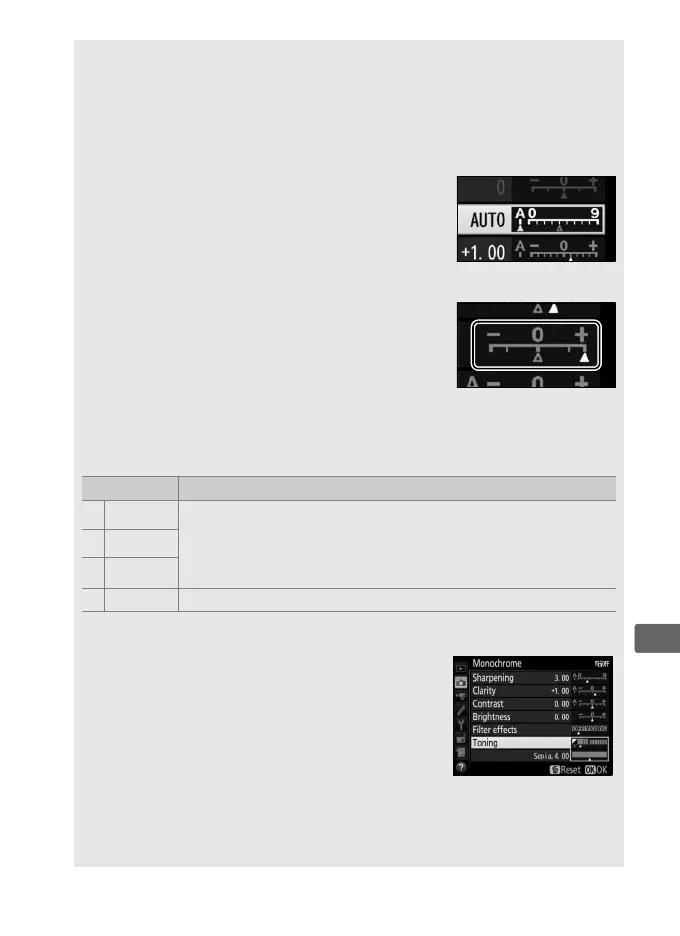
A Switching Between Manual and Auto
Press the X button to switch back and forth
between manual and auto (A) settings for
sharpening, clarity, contrast, and saturation.
A Previous Settings
The j indicator under the value display in the
Picture Control setting menu indicates the
previous value for the setting.
Use this as a
reference when adjusting settings.
A Filter Effects (Monochrome Only)
The options in this menu simulate the effect of color filters on
monochrome photographs.
The following filter effects are available:
Option Description
Y Yellow
Enhances contrast.
Can be used to tone down the
brightness of the sky in landscape photographs.
Orange
produces more contrast than yellow, red more contrast
than orange.
O Orange
R Red
G Green Softens skin tones.
Can be used for portraits.
A Toning (Monochrome Only)
Pressing 3 when Toning is selected displays
saturation options.
Press 4 or 2 to adjust
saturation.
Saturation control is not available
when B&W (black-and-white) is selected.
A Custom Picture Control Options
The options available with custom Picture Controls are the same as
those on which the custom Picture Control was based.



 To Next Page