416
n
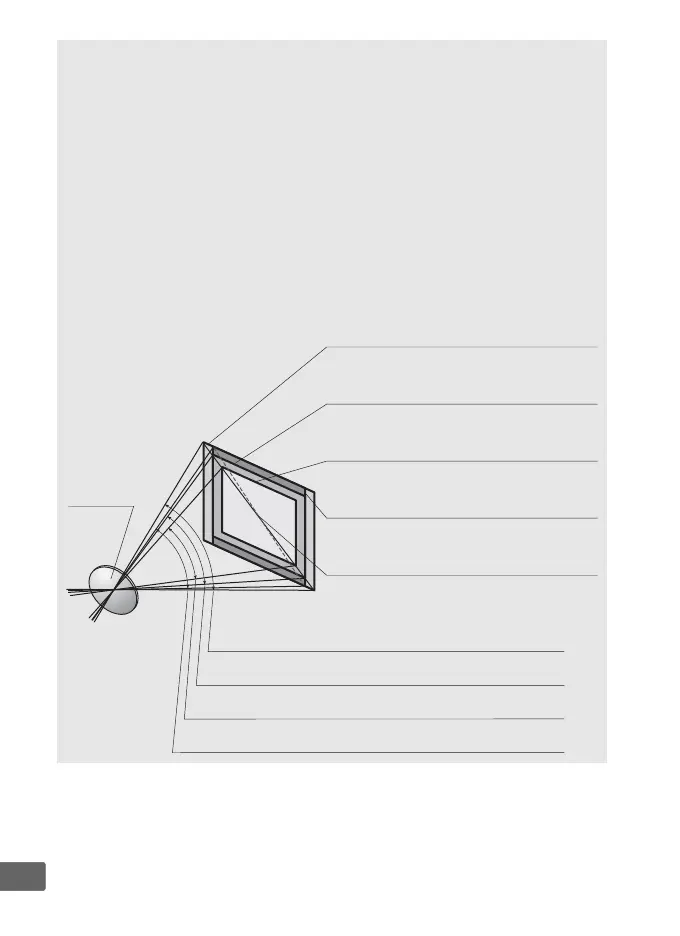
A Calculating Angle of View
The camera can be used with Nikon lenses for 35 mm (135) format
cameras.
If a 35 mm format lens is attached, the angle of view will be the
same as a frame of 35 mm film (35.9 × 23.9 mm).
If desired, the Image area option in the photo shooting menu can be
used to choose an angle of view different from that of the current lens.
If
a 35 mm format lens is attached, you can reduce the angle of view by
1.5× or 1.2× by selecting DX (24×16) or 1.2× (30×20) to expose a
smaller area, or change the aspect ratio by selecting 5:4 (30×24).
The
sizes of the areas exposed by different Image area options are shown
below.
Lens
FX (36×24) picture size (35.9 × 23.9 mm,
equivalent to 35 mm format camera)
Picture diagonal
DX (24×16) picture size
(23.5 × 15.7 mm, equivalent to DX
format camera)
5 : 4 (30×24) picture size
(29.9 × 23.9 mm)
Angle of view (FX (36×24);
35 mm format)
Angle of view (DX (24 × 16); DX format)
Angle of view (5:4 (30×24))
1.2× (30×20) picture size
(29.9 × 19.9 mm)
Angle of view (1.2× (30×20))



 To Next Page