117
A Lens Types
When using a CPU lens equipped with an aperture ring (0 422), lock
the aperture ring at the minimum aperture (highest f-number).
Type G
and E lenses are not equipped with an aperture ring.
When using non-CPU lenses (0 229), select exposure mode g
(aperture-priority auto) or h (manual).
In other modes, exposure mode
g is automatically selected when a non-CPU lens is attached (0 419,
424).
The exposure mode indicator (e or f ) will flash in the control
panel and A will be displayed in the viewfinder.
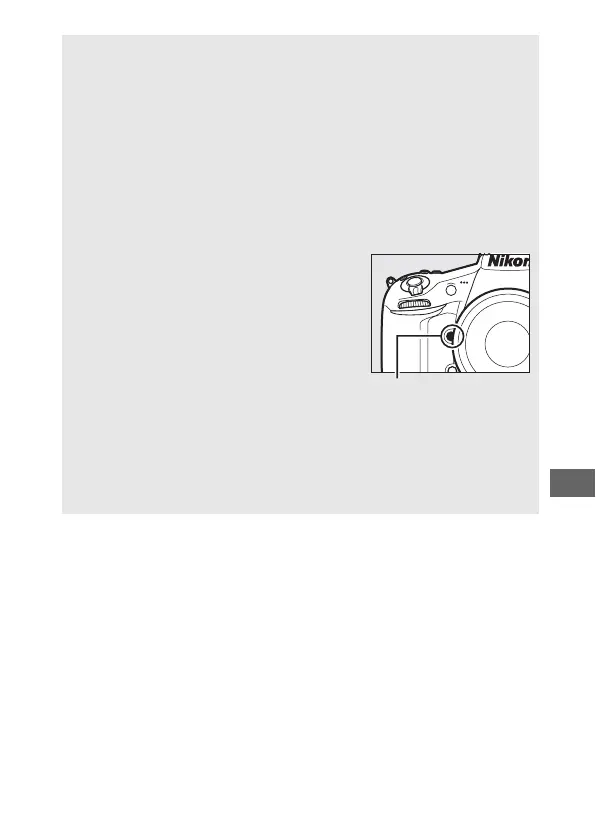
A Depth-of-Field Preview
To preview the effects of aperture, press
and hold the Pv button.
The lens will be
stopped down to the aperture value
selected by the camera (modes e and f) or
the value chosen by the user (modes g and
h), allowing depth of field to be previewed
in the viewfinder.
A Custom Setting e5—Modeling Flash
This setting controls whether the built-in flash and optional flash units
that support the Nikon Creative Lighting System (CLS; 0 428) will emit
a modeling flash when the Pv button is pressed.
See page 338 for more
information.
Pv button



 To Next Page