164
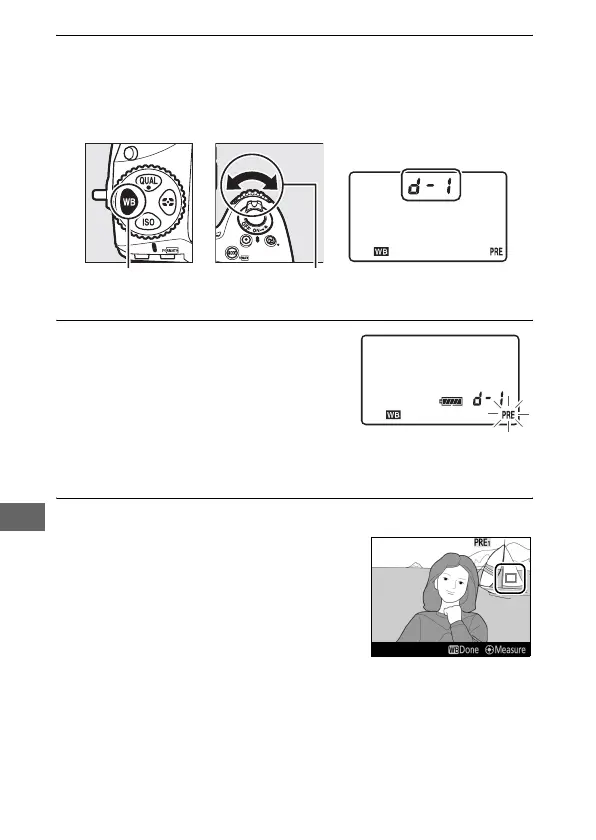
3 Select a preset.
Press the U button and rotate the sub-command dial until
the desired white balance preset (d-1 to d-6) is displayed in
the control panel.
4 Select direct measurement mode.
Release the U button briefly and
then press the button until the L
icon in the control panel starts to
flash.
A spot white balance target
(r) will be displayed at the selected
focus point.
5 Position the target over a white or grey area.
While L flashes in the display, use
the multi selector to position the r
over a white or grey area of the
subject.
To zoom the area around the
target in for more precise positioning,
press the X button.
U button Sub-command
dial
Control panel
Control panel



 To Next Page