224
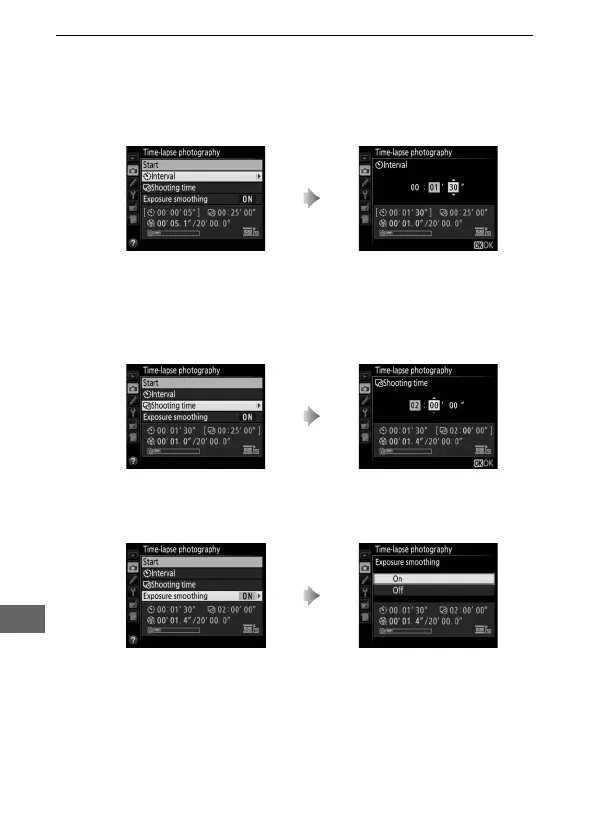
2 Adjust time-lapse photography settings.
Choose an interval, total shooting time, and exposure
smoothing option.
• To choose the interval between frames:
• To choose the total shooting time:
• To enable or disable exposure smoothing:
Selecting On smooths abrupt changes in exposure in e, f, and g
modes (note that exposure smoothing only takes effect in mode h
if auto ISO sensitivity control is on).
Highlight Interval and press 2. Choose an interval longer than
the slowest anticipated shutter
speed (minutes and seconds) and
press J.
Highlight Shooting time and
press 2.
Choose shooting time (up to
7 hours 59 minutes) and press J.
Highlight Exposure smoothing
and press 2.
Highlight an option and press J.



 To Next Page