17
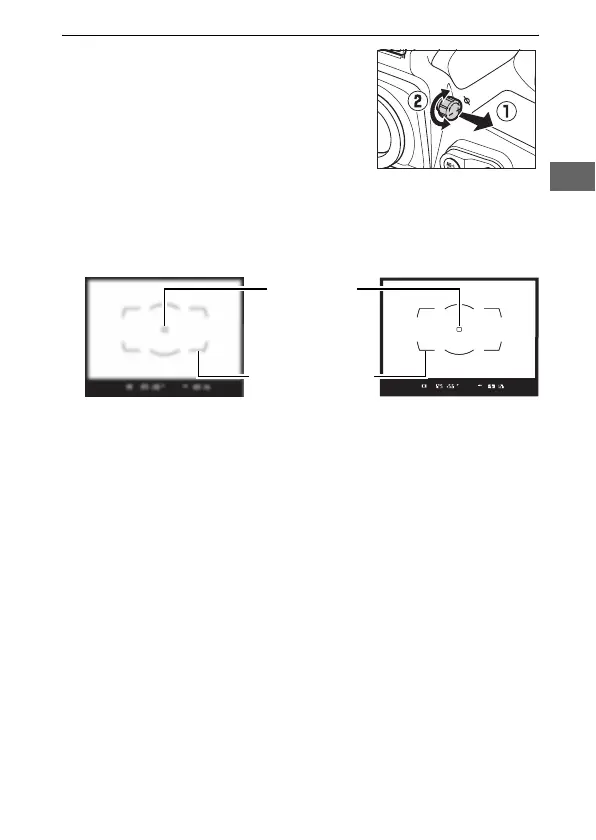
6 Focus the viewfinder.
Lift the diopter adjustment control
and rotate it until the viewfinder
display, focus points, and AF area
brackets are in sharp focus.
When
operating the control with your eye
to the viewfinder, be careful not to
put your fingers or fingernails in your eye.
Push the diopter
adjustment control back in once you have adjusted focus to
your satisfaction.
Focus point
AF area brackets
Viewfinder not in focus
Viewfinder in focus



 To Next Page