PROPlus / PRO Series Automated Dispensing Systems
56 www.nordsonefd.com info@nordsonefd.com +1-401-431-7000 Sales and service of Nordson EFD dispensing systems are available worldwide.
(Laser Systems Only) Calibrating the Laser and Setting the Tip-to-Workpiece
Offset
#
Click Step Reference Image
1
>
• Click SYSTEM SETUP > OPEN.
2
• Under Tip Detect Device, enter a value of
10(mm) for the Z Detect Limit.
3
ONLY SYSTEMS FOR NON-CONTACT
DISPENSING:
• As precisely as possible, center the jetting
orifice over the center of the sensor surface.
4
ONLY SYSTEMS FOR NON-CONTACT
DISPENSING:
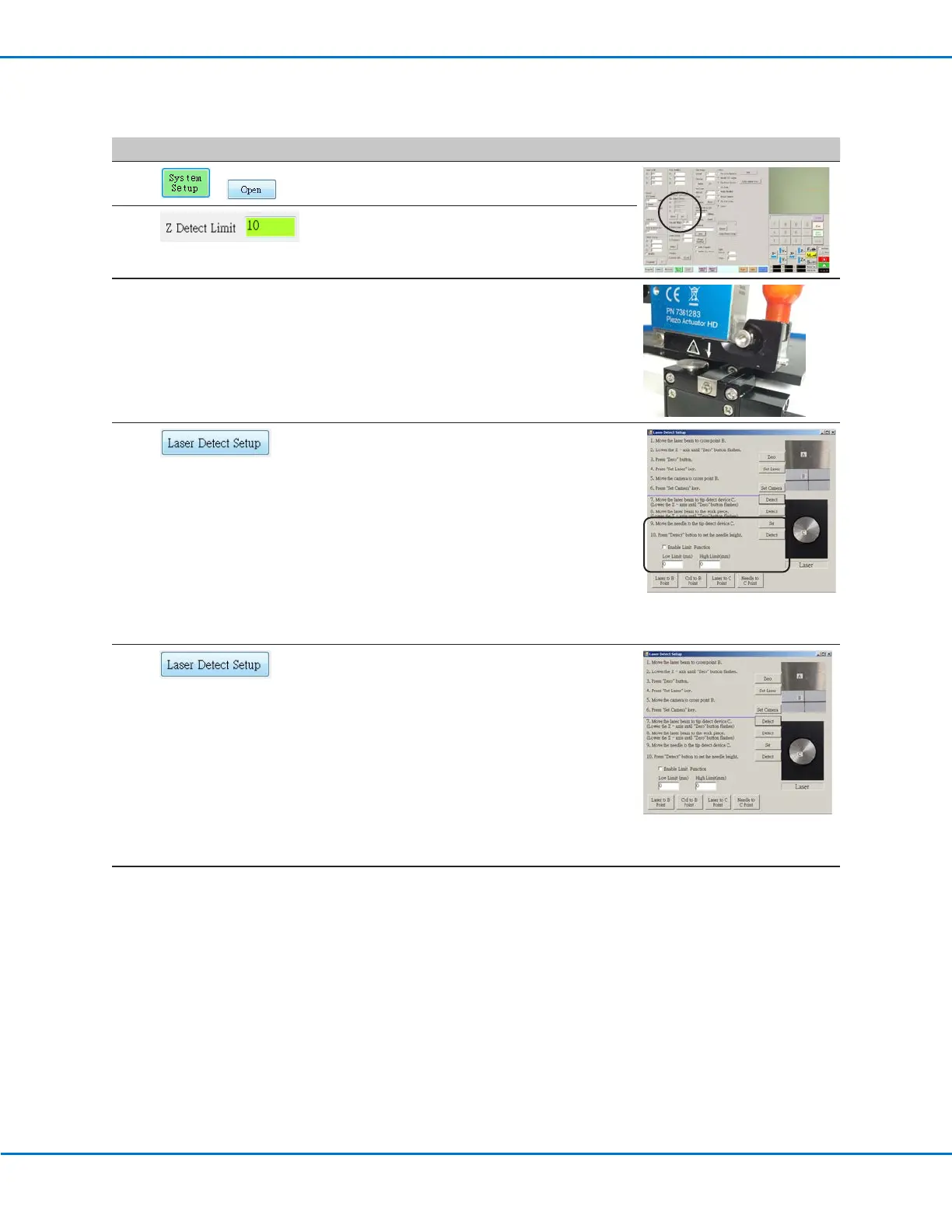
• Click LASER DETECT SETUP and perform
steps 9 and 10 (skip steps 1 to 8). Close the
window after you have completed all the
steps.
NOTE: To specify high or low Z height
limits for dispensing, check ENABLE LIMIT
FUNCTION and enter the desired values.
When this function is enabled, the system
prevents dispensing if the Zaxis is above or
below the specified limits.
5
ONLY SYSTEMS FOR CONTACT
DISPENSING:
• Click LASER DETECT SETUP and follow the
steps in the Laser Detect Setup window.
Close the window after you have completed
all the steps.
NOTE: To specify high or low Z height
limits for dispensing, check ENABLE LIMIT
FUNCTION and enter the desired values.
When this function is enabled, the system
prevents dispensing if the Zaxis is above or
below the specified limits.
6
The system is now properly set up and
calibrated. Refer to “Programming” on
page63 to create programs.



 To Next Page