PROPlus / PRO Series Automated Dispensing Systems
83www.nordsonefd.com info@nordsonefd.com +1-401-431-7000 Sales and service of Nordson EFD dispensing systems are available worldwide.
How to Use Marks to Dispense onto a Plain Workpiece
The Edge Adjust command is needed when you must create a dispense program for a workpiece that presents one
of the following challenges:
• Very large, rounded corners
• No obvious features for creating a mark image
PREREQUISITES
The system is properly set up. Refer to “Setting Up and Calibrating the System (Required)” on page47.
The system is in the CCD Mode.
To learn how to use this feature, draw a black rectangle with very round corners on a sheet of white paper and
use it as a template.
Overview for Dispensing onto Featureless Workpieces
The following tasks are required to create a program for dispensing onto very plain workpieces:
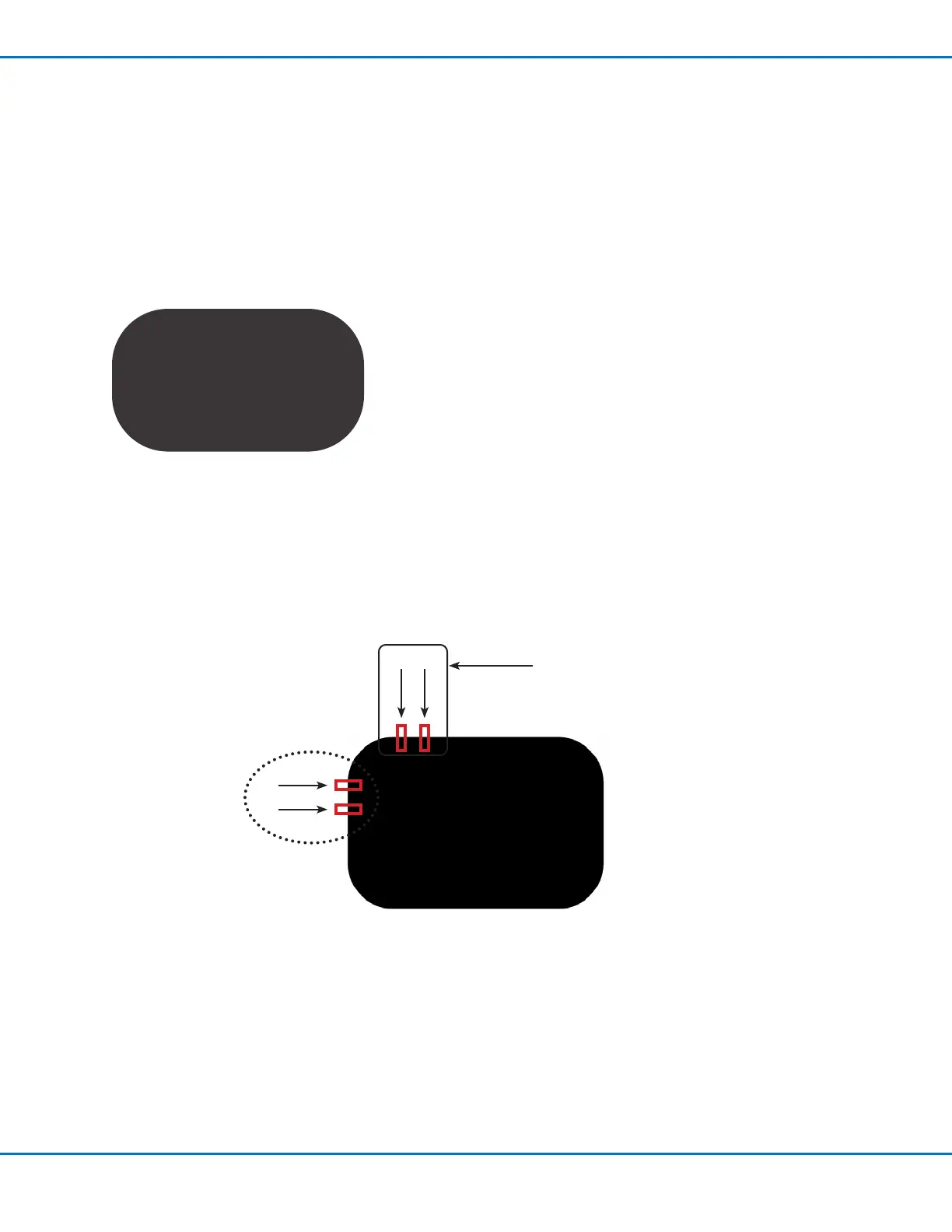
• Creating and saving mark images on two edges of a rectangular area. For each mark, you will need to enter
Width and Height values.
• Setting up the search range for each mark.
• Correctly using the Find Mark and Edge Adjust commands in the dispense program.
Vertical marks 3 and 4
Horizontal marks 1 and 2
1 2
3
4



 To Next Page