PROPlus / PRO Series Automated Dispensing Systems
92 www.nordsonefd.com info@nordsonefd.com +1-401-431-7000 Sales and service of Nordson EFD dispensing systems are available worldwide.
How to Use the Laser to Measure and Adjust the Z Clearance (Laser
Systems Only)
The laser can read the distance between the tip and a point on the workpiece. If the distance changes between
workpieces, the system adjusts dispensing accordingly.
PREREQUISITES
The system is properly set up. Refer to “Setting Up and Calibrating the System (Required)” on page47.
The system is in the CCD Mode.
#
Click Step
1
>
• Click PROGRAM > OPEN to open the program to be updated.
2
Double-click address
and select LASER
HEIGHT from drop-
down menu
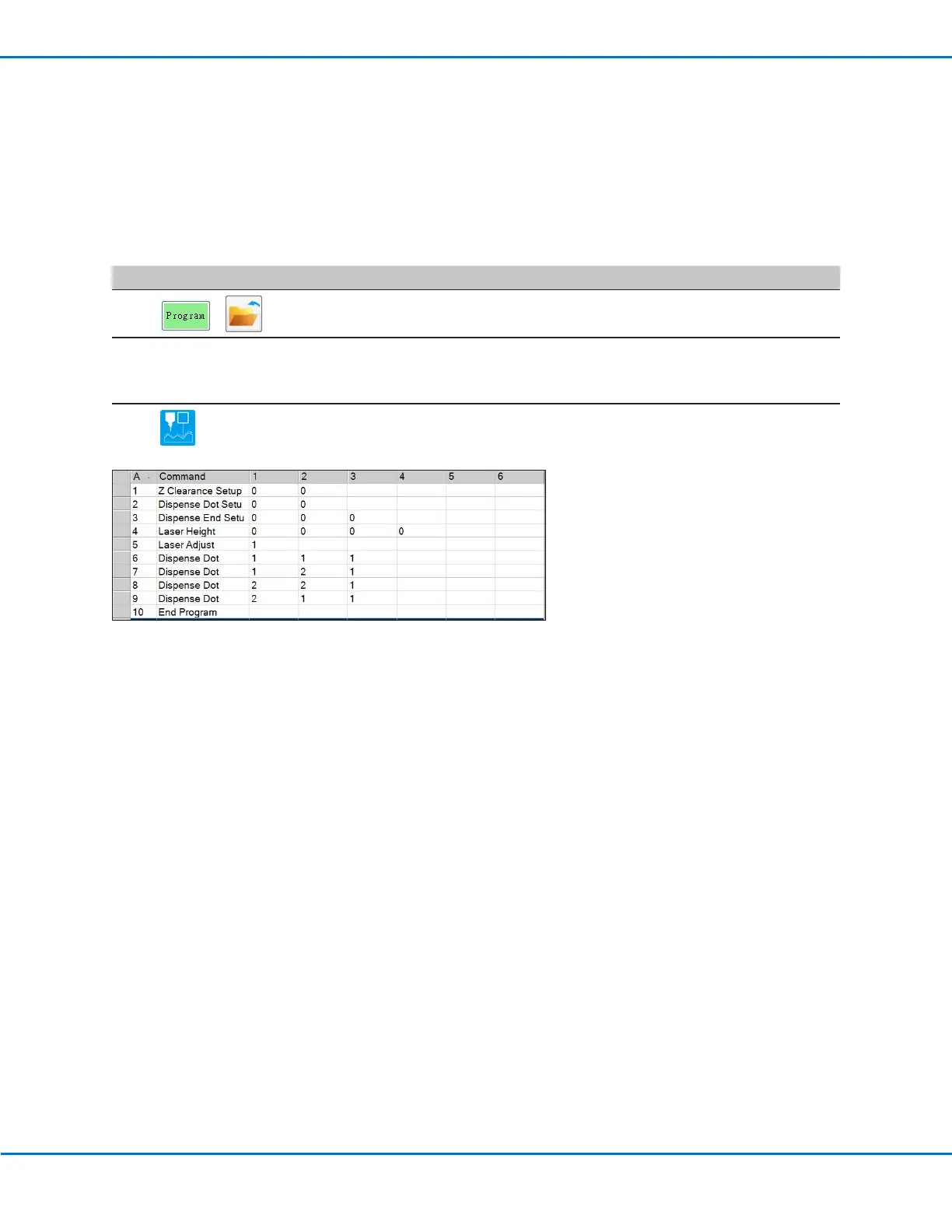
• Insert a LASER HEIGHT command. This command causes the laser to measure
the height of a point (or points) on the workpiece.
NOTE: In the example below, the points to be measured are Dispense Dots.
3
• Click LASER ADJUST to insert the command that causes the laser to read
the heights of the same points on each workpiece and to adjust dispensing
accordingly.



 To Next Page