PROPlus / PRO Series Automated Dispensing Systems
48 www.nordsonefd.com info@nordsonefd.com +1-401-431-7000 Sales and service of Nordson EFD dispensing systems are available worldwide.
Setting Up the System Using the Robot Initial Setup Wizard
The Robot Initial Setup wizard guides you through all the steps required to properly set up the system, including the
calibration and setting of offsets.
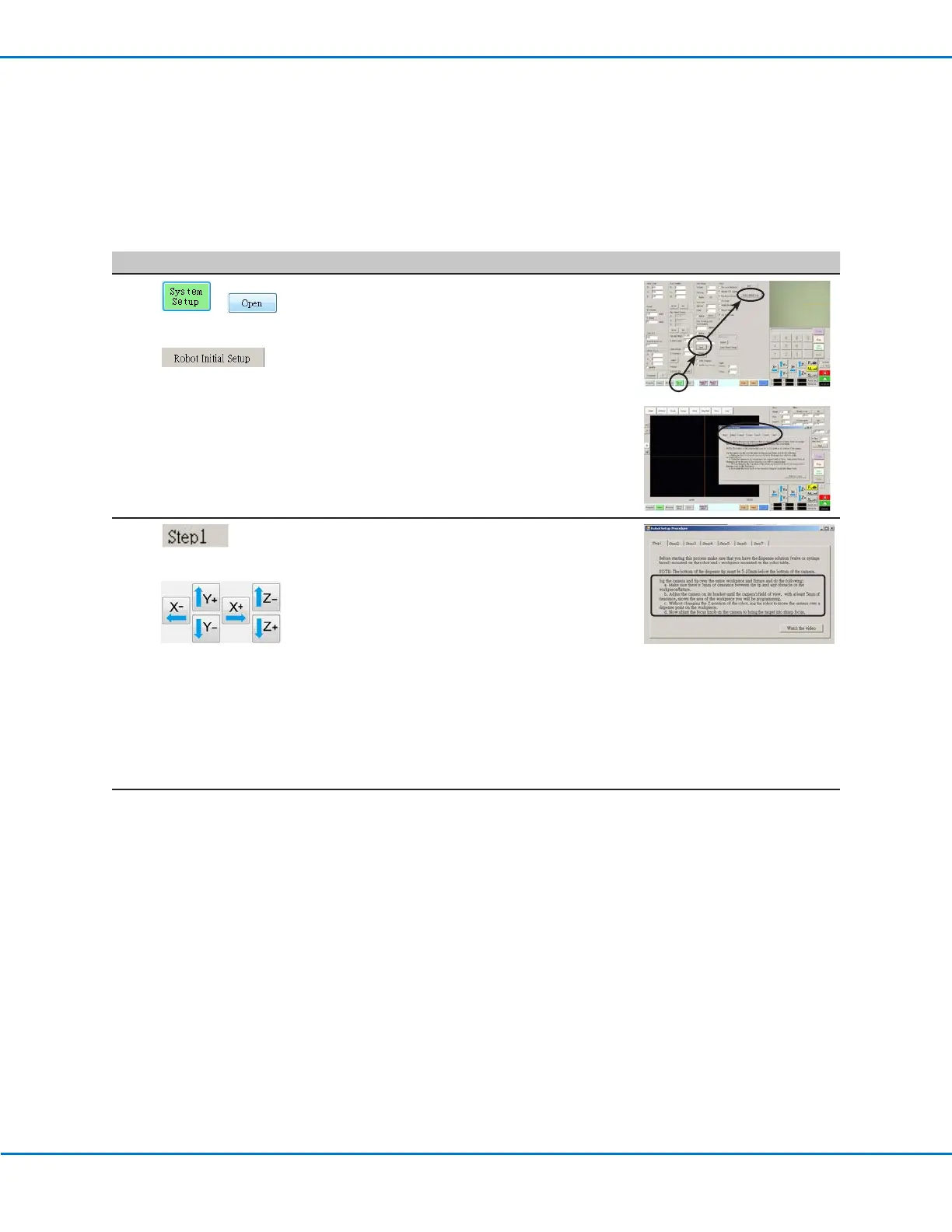
Robot Initial Setup (Step1 Tab): Opening the Robot Initial Setup Wizard and Focusing the Camera
# Click Step Reference Image
1
> >
• Click SYSTEM SETUP > OPEN > ROBOT
INITIAL SETUP.
The Robot Initial Setup wizard opens.
• Perform the actions on tabs 1–6 one at a
time. The actions are also provided in this
manual, starting with the next step, for your
reference as needed.
2
>
• Click the STEP1 tab.
• Jog the tip over the entire workpiece
to ensure that there is at least 5 mm of
clearance between the bottom of the tip and
the highest part of the workpiece.
• Adjust the camera on its bracket until the
camera’s field of view shows the correct area
of the workpiece for setup or programming.
• Jog the tip to a good location to deposit a
test dispense dot.
• Bring the image on the screen into a sharp
focus. Refer to “Camera” on page17
as needed for instructions on focusing the
camera.
3 • Continue to “Robot Initial Setup (Step2 Tab):
Setting Up the Tip Detector (For Non-Laser
Systems)” on page49.
Setting Up and Calibrating the System (Required) (continued)



 To Next Page