PROPlus / PRO Series Automated Dispensing Systems
68 www.nordsonefd.com info@nordsonefd.com +1-401-431-7000 Sales and service of Nordson EFD dispensing systems are available worldwide.
How to Dispense on Multiple Workpieces in an Array
Use the Step & Repeat commands to dispense the same pattern on multiple workpieces in an array.
NOTE: You can use the Step & Repeat Block icon to disable dispensing for workpieces not present. Refer to “How
to Disable Dispensing for Specific Workpieces in an Array” on page69.
PREREQUISITES
The system is properly set up. Refer to “Setting Up and Calibrating the System (Required)” on page47.
If the tip or any element of the Zaxis head was changed, repeat system setup and calibration using the Robot
Initial Setup wizard. Refer to “Setting Up the System Using the Robot Initial Setup Wizard” on page48.
The system is in the CCD Mode.
Multiple workpieces are properly positioned on the fixture plate.
#
Click Step
1
>
• Click the PROGRAM tab, then click the Example icon and select FIND MARK
+ STEP REPEAT. Click YES when prompted for confirmation.
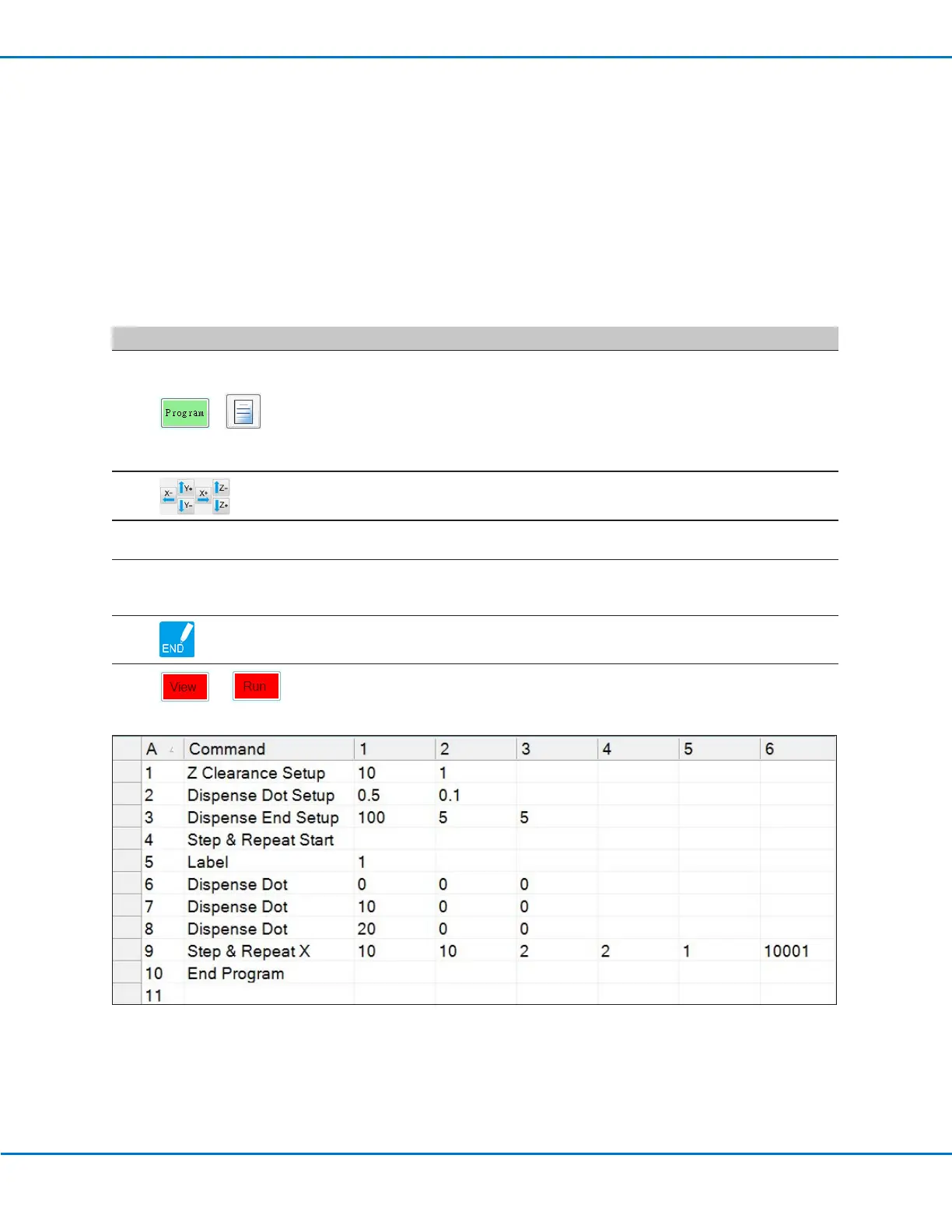
A sample Step & Repeat X program appears.
NOTE: You can also use Step & Repeat Y to dispense onto multiple pieces in
an array. Refer to “AppendixA, Command Function Reference” on page108
for detailed information on both Step & Repeat commands.
2
• Jog the dispensing tip to the first workpiece in the array and create a mark.
Refer to “How to Create a Mark” on page70 as needed.
3
• Click the FIND MARK command and enter the number of the mark created in
step 2.
4
• Click the remaining commands and enter the parameters that will work
for your array. Refer to “AppendixA, Command Function Reference” on
page108 for detailed information on commands.
5
• Click END PROGRAM to end the program.
6
or
• Test the program and make adjustments until the program runs correctly.



 To Next Page