While on an active call
147
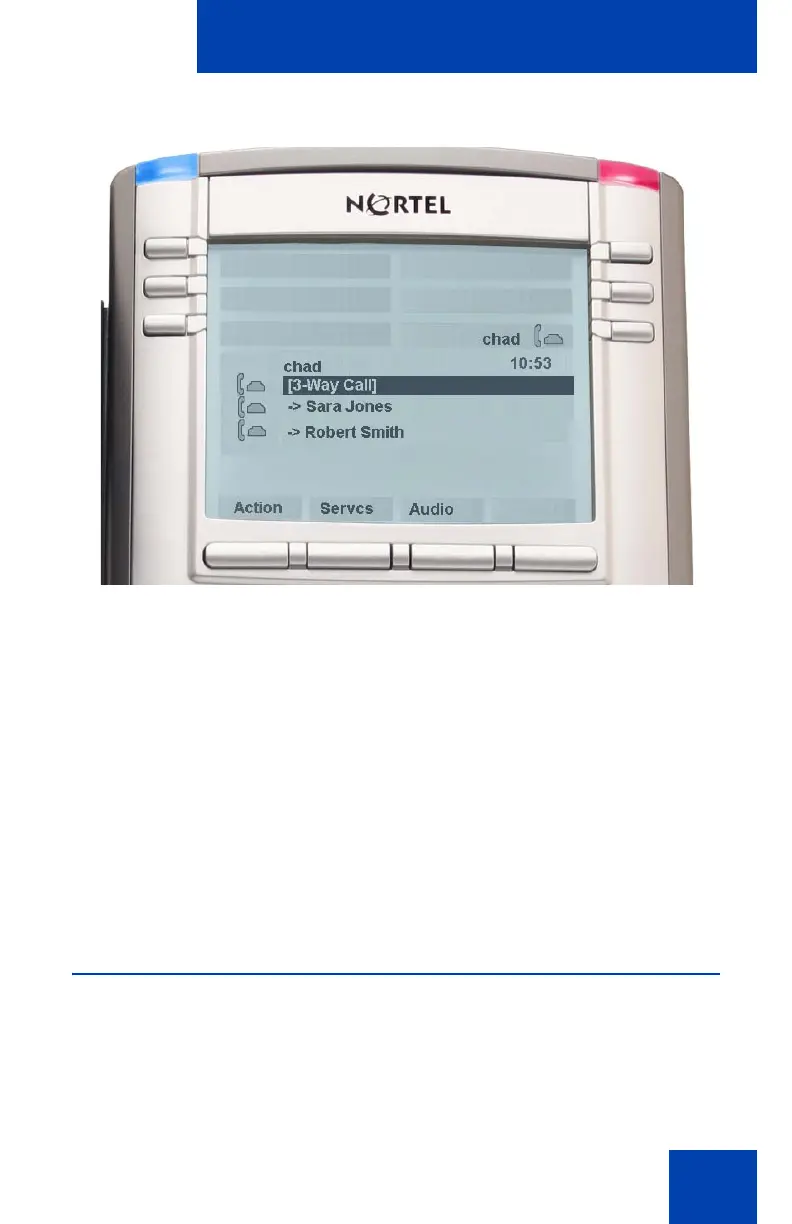
Figure 23: 3-way Call
Note 1: If you receive a new call during a 3-way call, you can answer
the new call as usual. The IP Phone 1140E automatically puts the
3-way call on hold. If you join the new caller to a 3-way call in
progress the IP Phone 1140E automatically initiates a conference call
with the server.
Note 2: If the host of a 3-way call presses the hold button, all callers
in the 3-way call are put on hold.
Note 3: If the host of a 3-way call presses the Goodbye fixed key or
selects Release Call from the Action menu, all calls in the 3-way call
are terminated.
Setting up a conference call
When you want to invite three or more callers to a call, you can set up a
conference call using the IP Phone 1140E. The call server handles
conference calls. You can join incoming calls to the conference call or you
can join calls that you initiate.

















 To Next Page