Connecting the components
30
Connecting the components
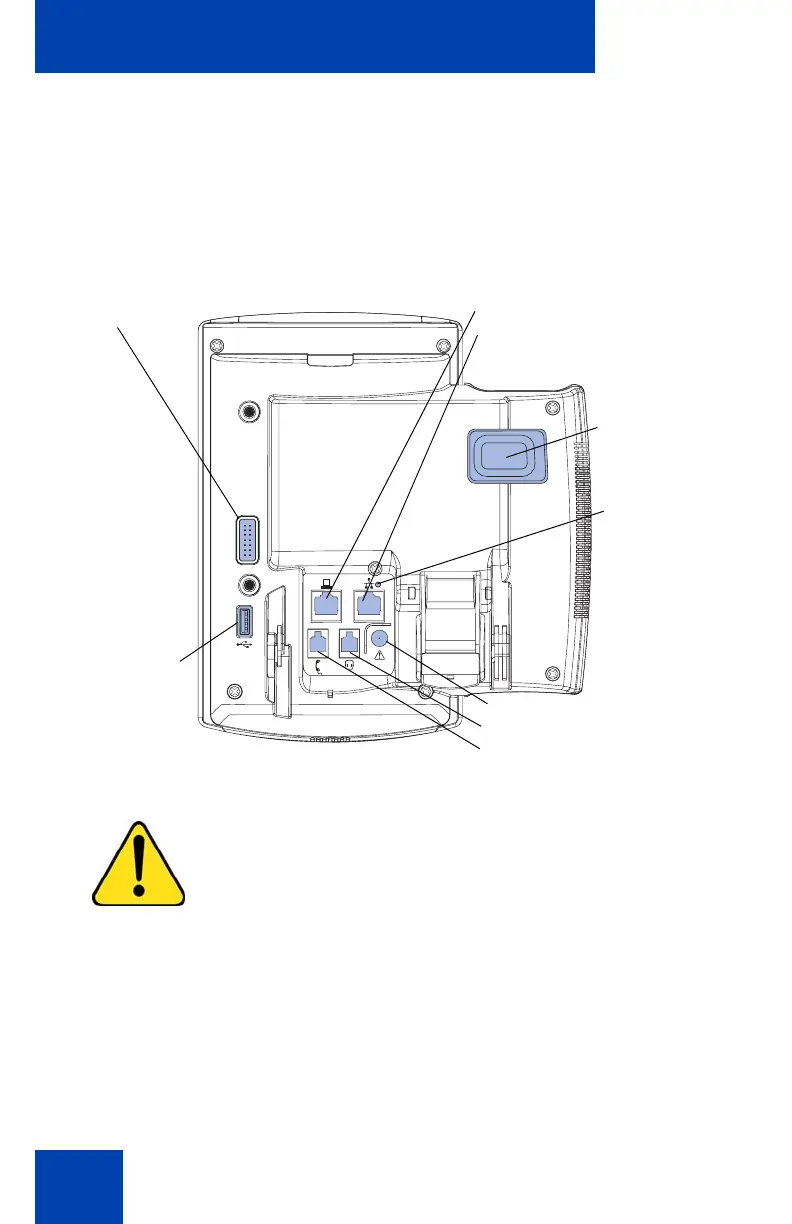
Figure 6 shows connections on the IP Phone 1140E.
Figure 6: IP Phone 1140E connections
WARNING *Ensure that the protective rubber cap on
the Expansion Module port is in place when the port is
not in use. Connecting anything other than the proper
Expansion Module connector to this port can cause
damage to the phone.
Accessory Expansion
Module port
PC Ethernet port
LAN Ethernet port
Tilt Lever
Link lamp
AC Adapter jack
Headset jack
Handset jack
USB
Connector

















 To Next Page