Connecting the components
33
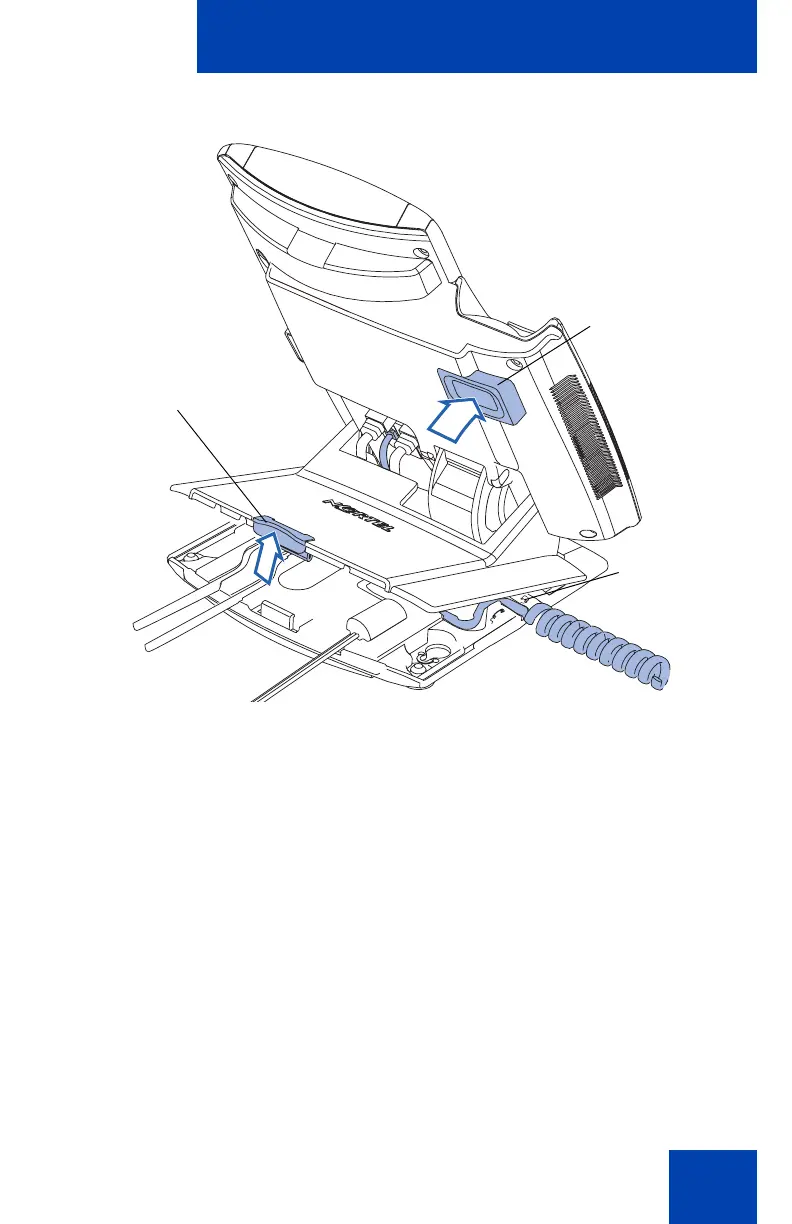
Figure 8: Remove the stand cover
2. Connect the AC power adapter (optional). Connect the adapter to the
AC adapter jack in the bottom of the phone. Form a small bend in the
cable, and then thread the adapter cord through the channels in the
stand.
Warning: Use your IP Phone 1140E with the approved Nortel AC
Adapter (model #N0023000) for this model of phone only.
Note 1: Your IP Phone 1140E supports both AC power and Power
over Ethernet options, including IEEE 802.3af standard power. To use
local AC power, the optional AC adapter can be ordered separately.
To use Power over Ethernet, where power is delivered over the CAT-5
cable, the LAN must support Power over Ethernet, and an AC
adapter is not required.
Note 2: You must use CAT-5e (or later) cables if you want to use
gigabit Ethernet.
Tilt Lever
Button
Handset
cord exit
Center
Catch

















 To Next Page