32
Installation
4.8.5.a Export report on usb insertion
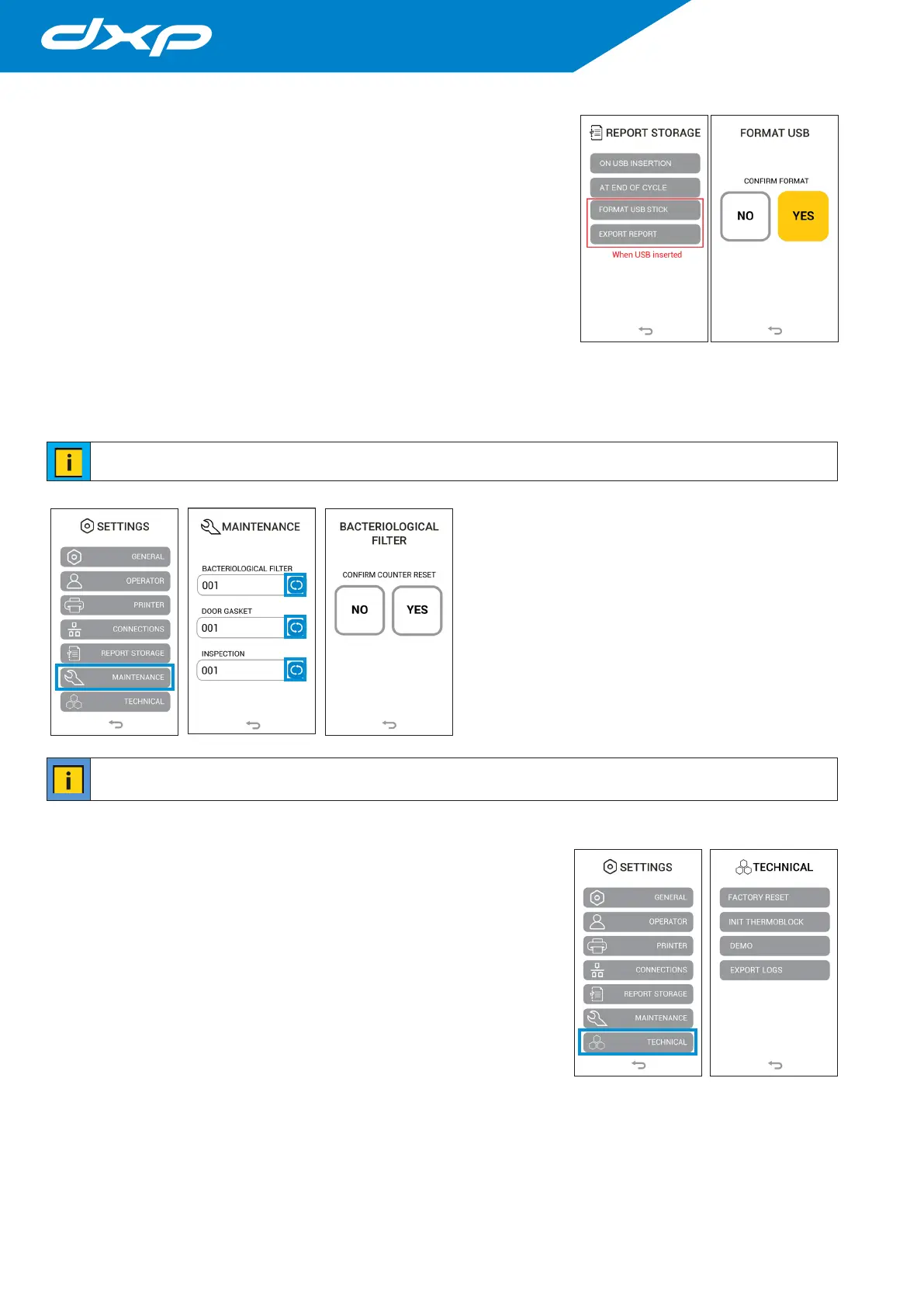
Pressing the ON USB INSERTION button all reports are exported when a USB
key is inserted.
4.8.5.b Export report at the end of cycle
Pressing the AT END OF CYCLE button all report are automatically export after
the termination of the cycle.
4.8.5.c Format USB Stick
Pressing the FORMAT USB STICK button you perform the formatting of the usb
stick. Before the procedure is completed, a new menù will appear to confirm the
decision. Formatting is recommended when using USB Sticks other than the
original dxp ones.
4.8.5.d Export report
Pressing the EXPORT REPORT button all reports are exported to a USB stick.
It can take several minutes to download many files.
4.8.6 Maintenance menu
Pressing the MAINTENANCE menu you access the
reset menu of the individual counters for spare parts
and inspection during product operation, specifically
it refers to the spare parts of the bacteriological filter
(BACTERIOLOGICAL FILTER), the door gasket (DOOR
GASKET) and the cycle counter for inspection by a techical
service.
To reset the counter, just press the blue button next to the
chosen counter and a second screen will appear to confirm
the reset. Pressing the YES button the counter will be reset
and the screen will return to the maintenance menu.
the reset of the DOOR GASKET and INSPECTION counter is password protected as it is authorized only by
maintainers and technicians.
4.8.7 Technical menu
Pressing the TECHNICAL menu you access on the technical menu, reserved
exclusively for the maintenance technician.


 To Next Page