40
Using the sterilizer
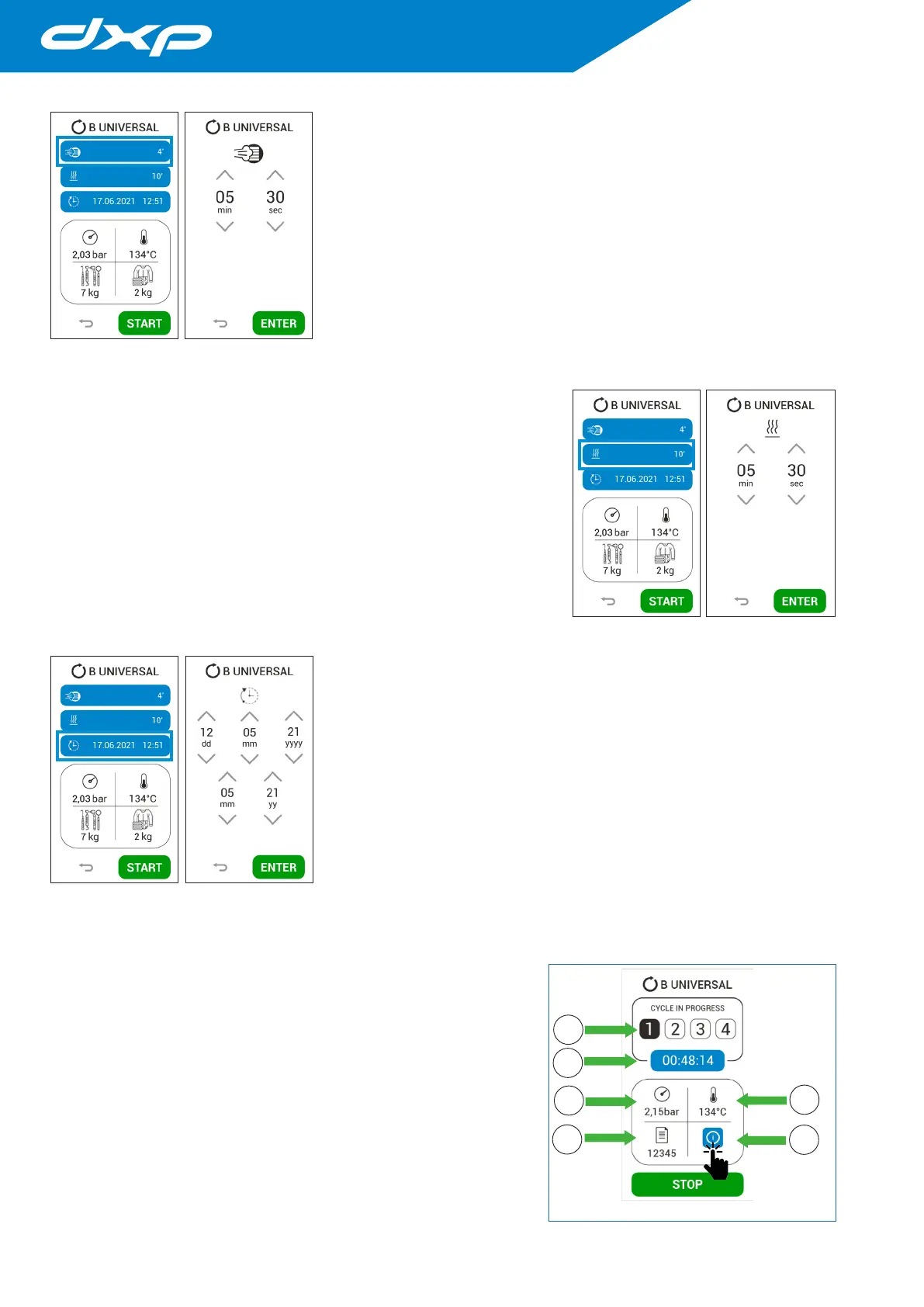
5.7.1 Sterlization time modification
Pressing the highlighted button you access to the sterilization time
modification menù.
The minimum acceptable sterilization time is definied according to the
cycle and the EN13060 standard (it will not be possible to have shorter
sterilization times).
Pressing the ENTER button the data is confirmed and the screen return
to the cycle start menù.
5.7.2 Drying time modification
Pressing the highlighted button you access to the drying time modification
menù.
This function is used when the user must minimize the risk of wet load
(due to the load itself).
The minimum acceptable drying time is definied according to the cycle
and the EN13060 standard (it will not be possible to have shorter drying time).
Pressing the ENTER button the data is confirmed and the screen return to
the cycle start menù.
5.7.3 Cycle start delay
Pressing the highlighted button you access to the cycle start delay menù.
In this menù it is possible select the date and time scheduled for the
cycle.
Pressing the ENTER button the data is confirmed and the screen return
to the cycle start menù.
5.8 Running a cycle
Once the desired cycle has been chosen, by pressing the START button
the device starts the cycle and a new page will appear, where you can
monitor various information:
1. The current phase (pre-heating, pulsation, sterilization, drying);
2. The remaining time of completion of the cycle;
3. The pressure in the sterilization chamber;
4. The sterilization chamber temperature.
5. Cycle number;
6. The cycle info.


 To Next Page