4.4 Digital Zoom
The system supports X2/X4 Digital Zoom function.
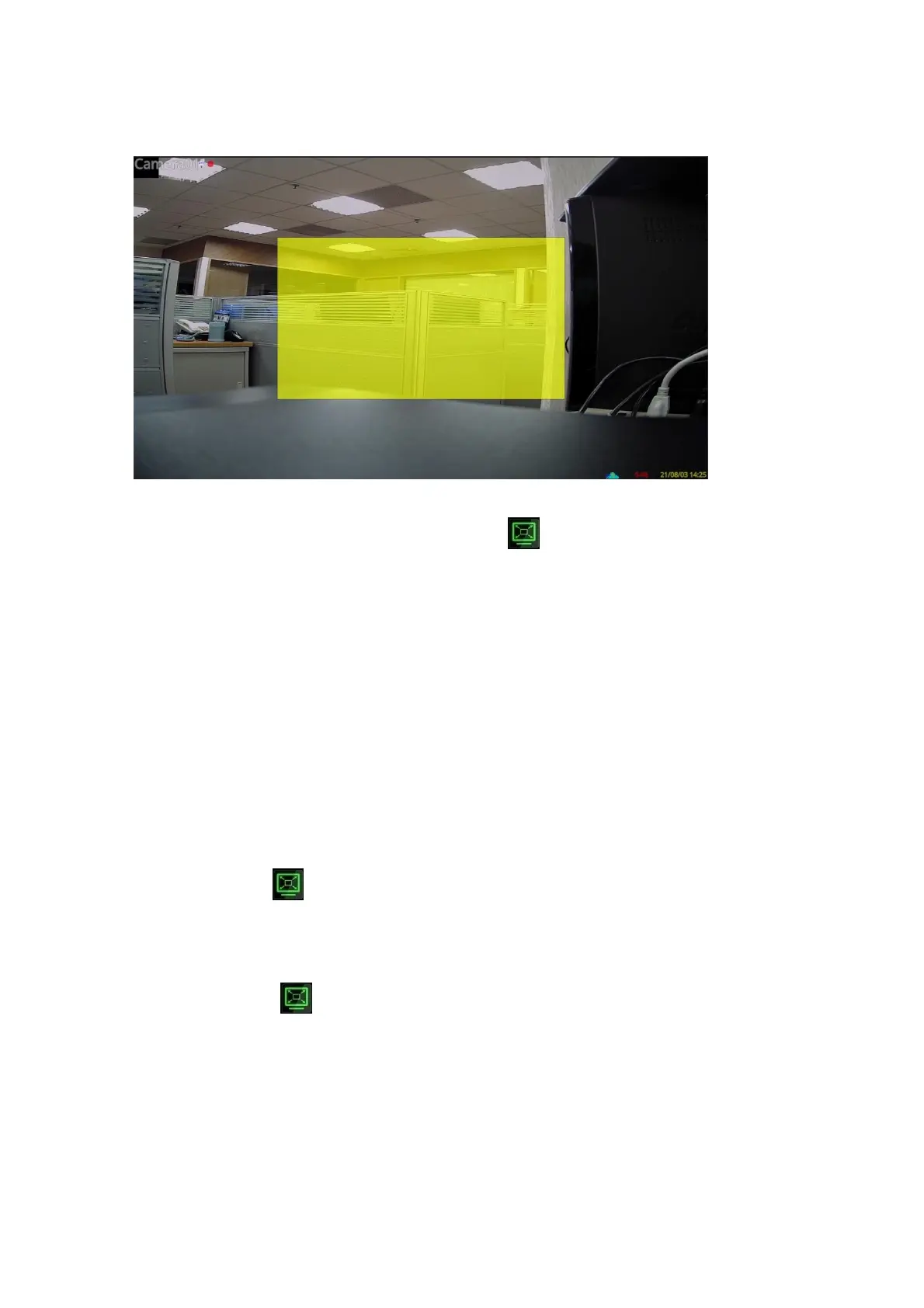
To use this function, press Zoom button (Mouse: ) in full screen display to enter Digital
Zoom mode. There will be a zoom window shown in the video window as shown. The zoom
window (a) will always be shown at zoom factor X1, (b) can be shown or hidden at zoom
factor X2, and (c) will never be shown at zoom factor X4. The operations in Digital Zoom
mode are as below:
▲▼◄► (Mouse: Click the video window)
(a) Click outside the yellow zone of the video window to move the yellow zone zoom
window if it’s shown in the video window.
(b) Click in the video window to navigate the video window around if the zoom factor
is X2 or X4.
ENTER (Mouse: Click in the video window)
Click in the yellow zone of the video window to zoom in the zoom window, from X1 to
X2 or from X2 to X4, if the zoom window is shown in the video window.
X2 (Mouse: )
Press this button to
(a) Show/hide the zoom window if the current zoom factor is X1/X2.
(b) Zoom out the video window back to zoom factor X1 if the current zoom factor is X4.
ESC (Mouse: or Right Click)
Press this button to escape from X4 Digital Zoom mode, and return to the normal
full-screen display.



 To Next Page