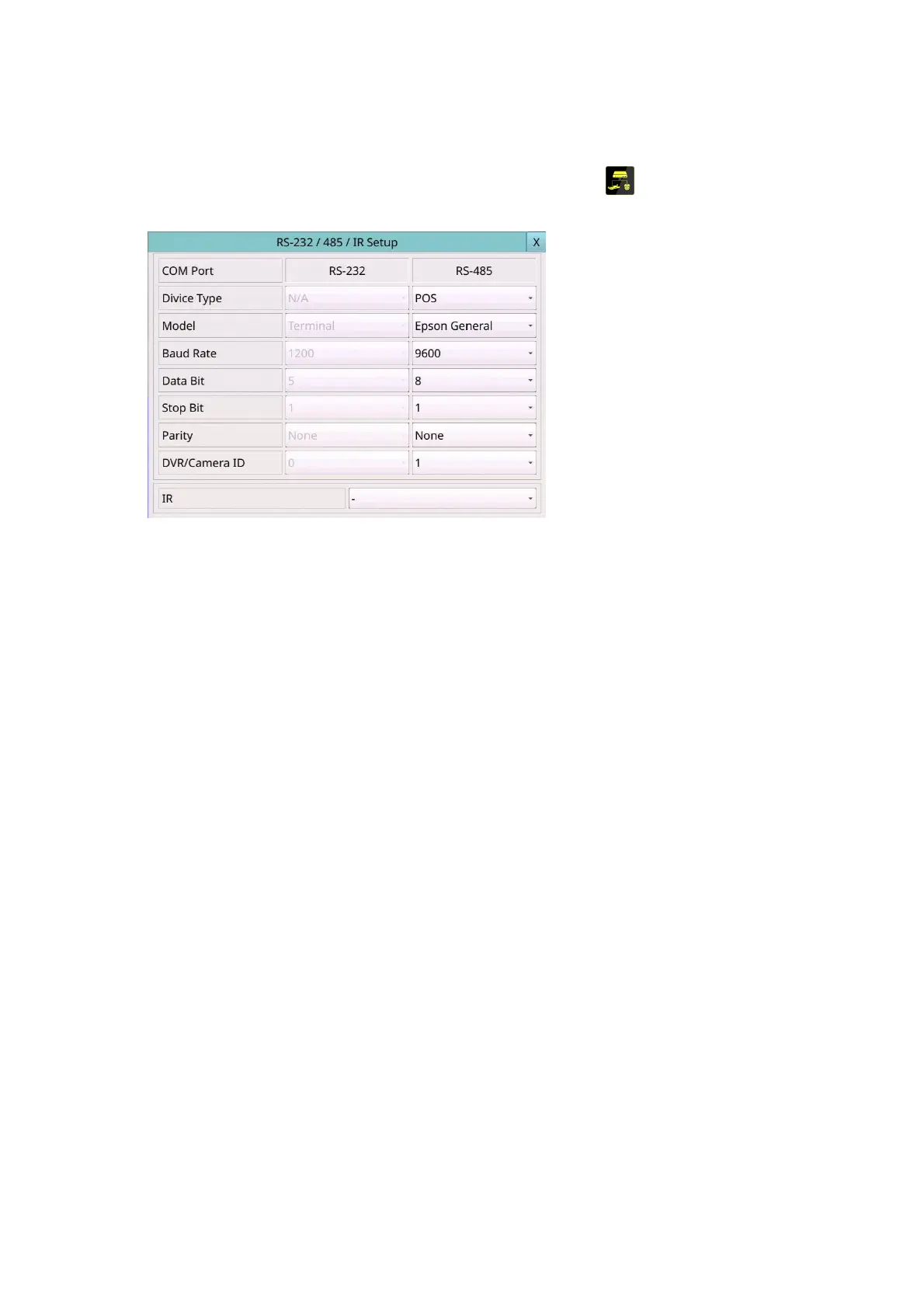
6.8 RS-232/485/IR Setup
Left-click the mouse to select the RS-232/485/IR (Mouse: ) In Setup Menu display,
the RS-232/485/IR Setup will be shown.
The RS-232/485/IR Setup allows the administrator to setup RS-232/RS-485 control port
and DVR ID for IR remote. Please refer to the manuals for the connected devices to set
the items in RS-232/485 Setup.
The general operations are as below:
1
Mouse: Click in the respective item
Select the items to set.
X (Mouse: Left Click X or Right Click to leave)
Press this button to escape from this screen, and return to Setup Menu display. If the
Save dialog is shown, press YES to exit and save, CANCEL (Mouse: Right Click) to exit
without saving.
Following is a brief description for each item and its specific operations:
Device Type – PTZ, Keyboard, GPS, POS, PTZ+Keyboard or N/A (Not Available).
Press ▼ button to change the type.
Model – PTZ model, GPS protocol, or POS printer type of the connected devices. The
PTZ models supported include Pelco D protocol Dome, SamSung SCC-641P, Kalatel
Cyber Dome, PIH-series, Dynacolor, Bosch AutoDome, Video Trek, etc. The GPS
protocol supported is NMEA0183. The POS printer types supported include Epson
General (EX. Epson-TM200, Epson-TMU300, Epson-TMU675, Epson-TMT882,
Epson-RPU420, and Epson-MD332S) and Epson-TMU295. Press ▼ button to
change the supported model (or protocol).
Baud Rate – for Multiple POS, please set the Baud Rate setting as 9600. Press ▼
button to change the value.
Data Bit – press ▼ button to change the value.
Stop Bit – press▼ button to change the value.
Parity – (Odd, Even, or None). Press ▼ button to change the value.



 To Next Page