5.5.3 5G/4G/3G Modem Setup
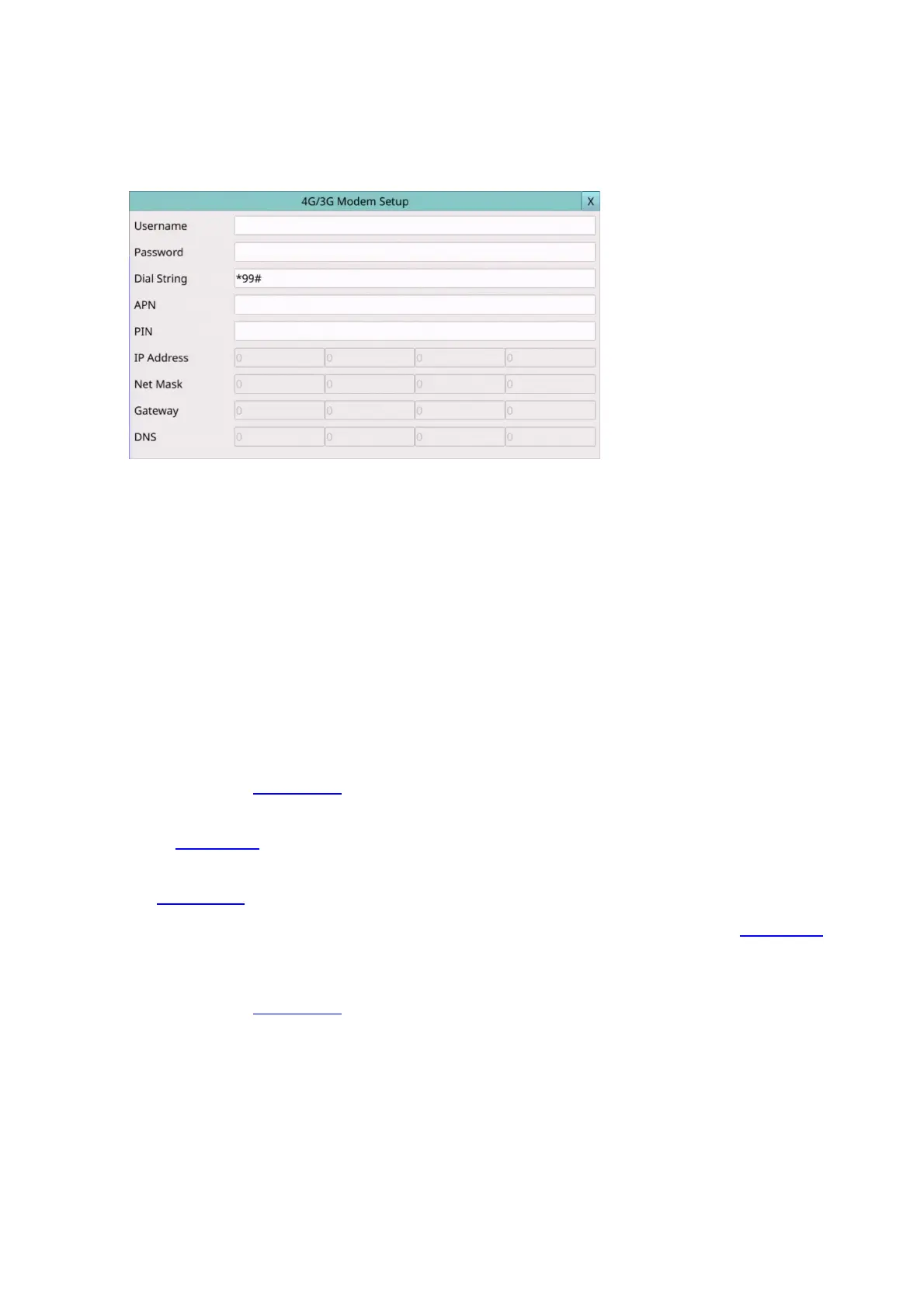
In Network Setup, press 5G/4G/3G to call up 4G/3G Modem Setup as shown.
The 4G/3G Modem Setup allows the administrator to set 4G/3G modem related
parameters if USB dongle 4G/3G modem is plugged in the USB port.
The general operations are as below:
Mouse: Click in the respective item
Select the items to set.
X (Mouse: Left Click X or Right Click to leave)
Press this button to escape from this screen, and return to Network Setup display. If the
Save dialog is shown, press YES to exit and save, CANCER to exit without saving.
Following is a brief description for each item and its specific operations:
Username – username if requested by ISP. Please follow the Text Input method
described in Section 4.1 to modify this item.
Password – password if requested by ISP. Please follow the Text Input method described
in Section 4.1 to modify this item.
Dial String – the 3G dial command. Please follow the Text Input method described in
Section 4.1 to modify this item.
APN – (Optional) APN info. Please follow the Text Input method described in Section 4.1
to modify this item.
PIN – PIN associated with the SIM card used. Please follow the Text Input method
described in Section 4.1 to modify this item.
IP Address – 3G IP address for the system. To get the static IP address, please contact
your local ISP (Internet Service Provider). This field is for information only.
Net Mask – Net Mask for the 4G/3G IP address. This field is for information only.
Gateway – 4G/3G Gateway IP address. Please note that the priority of Gateway is (1)
Ethernet Gateway and (2) 4G/3G Gateway. This field is for information only.
DNS – DNS (Domain Name Server) IP address for the 4G/3G network. This field is for
information only.



 To Next Page