7.3 Search Archived Files
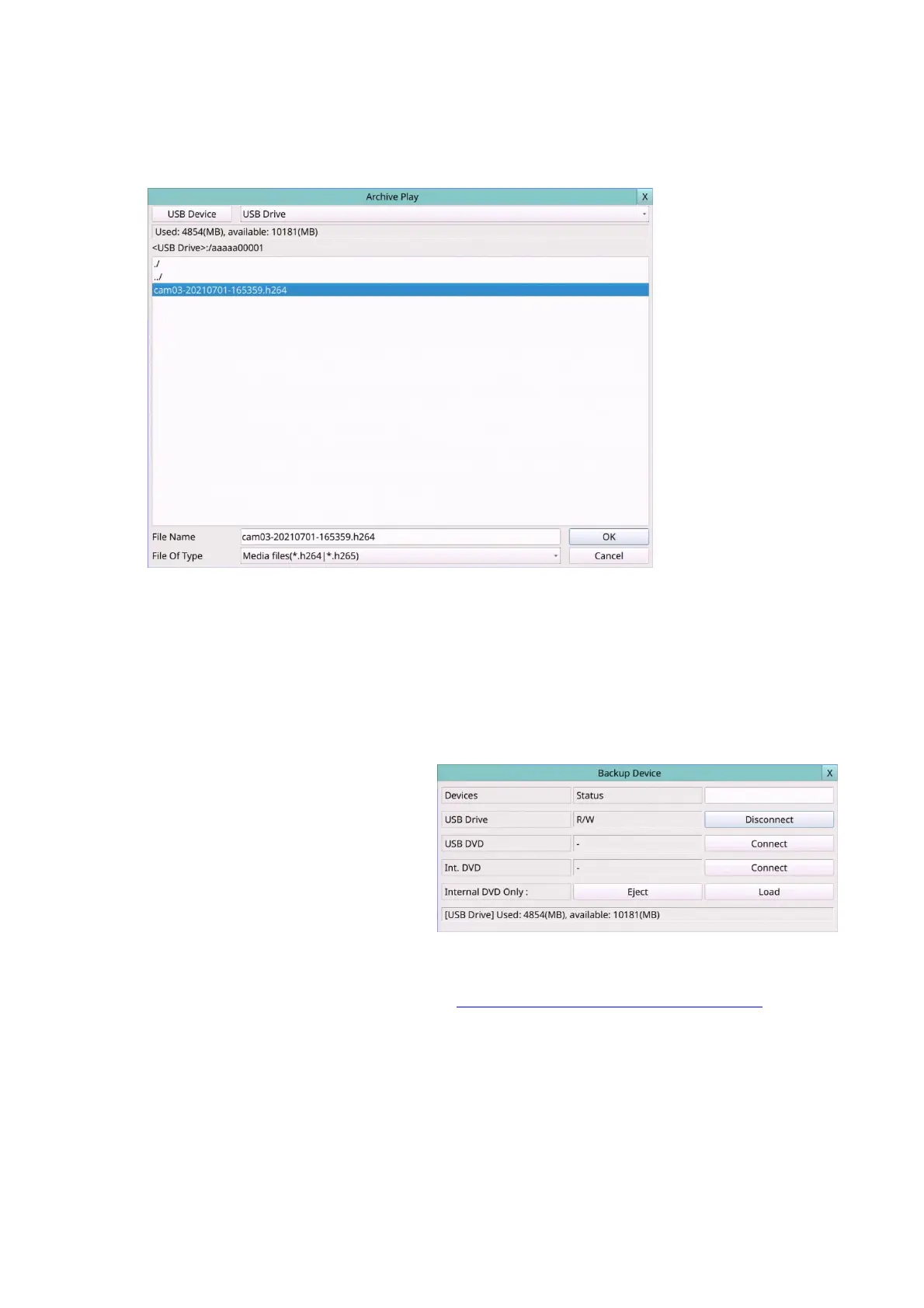
The screen for Search Archived Files is shown as below:
The operations are as below:
Mouse: Click in the respective item
Select the items to enter the corresponding Search display.
X (Mouse: Left Click X or Right Click to leave)
Press this button to escape from this screen, and return to split-window display.
Following is a brief description for each item and its specific operations:
USB Device – press USB Device
(Mouse: Left click) to call up
Backup Device dialog (if there’s
no Backup device connected).
Disk Storage – to select the disk
storage to search the archived
files.
Archived File List – the archived files in the selected Disk Storage. Please Mouse Left
click to select the file in this list, then press Play Button or Mouse Left click twice to
playback it directly. Please refer to Section 7.9 Playback For Archived Files for the
detailed operations.
Note : The format of the filename is camNN-YYYYMMDD-hhmmss.h264, where NN
stands for camera number, YYYY year, MM month, DD date, hh hour, mm
minute, and ss second.



 To Next Page