DVR/Camera ID – for PTZ => the device ID for this digital video/audio recorder, and it
must not conflict with the other devices connected in the same control port.; for
GPS/POS => the Camera ID to receive the GPS/POS data. For Multiple POS, please
set the DVR/Camera ID setting as Multiple. For IR => the DVR ID to receive the IR
control signal, “-” to receive any DVR ID signal. Press ▼ button to change the ID.
Note: For Multiple POS, please make sure to setup the ID of protocol converter I-7524
correctly (Appendix D).
6.9 OSD Setup
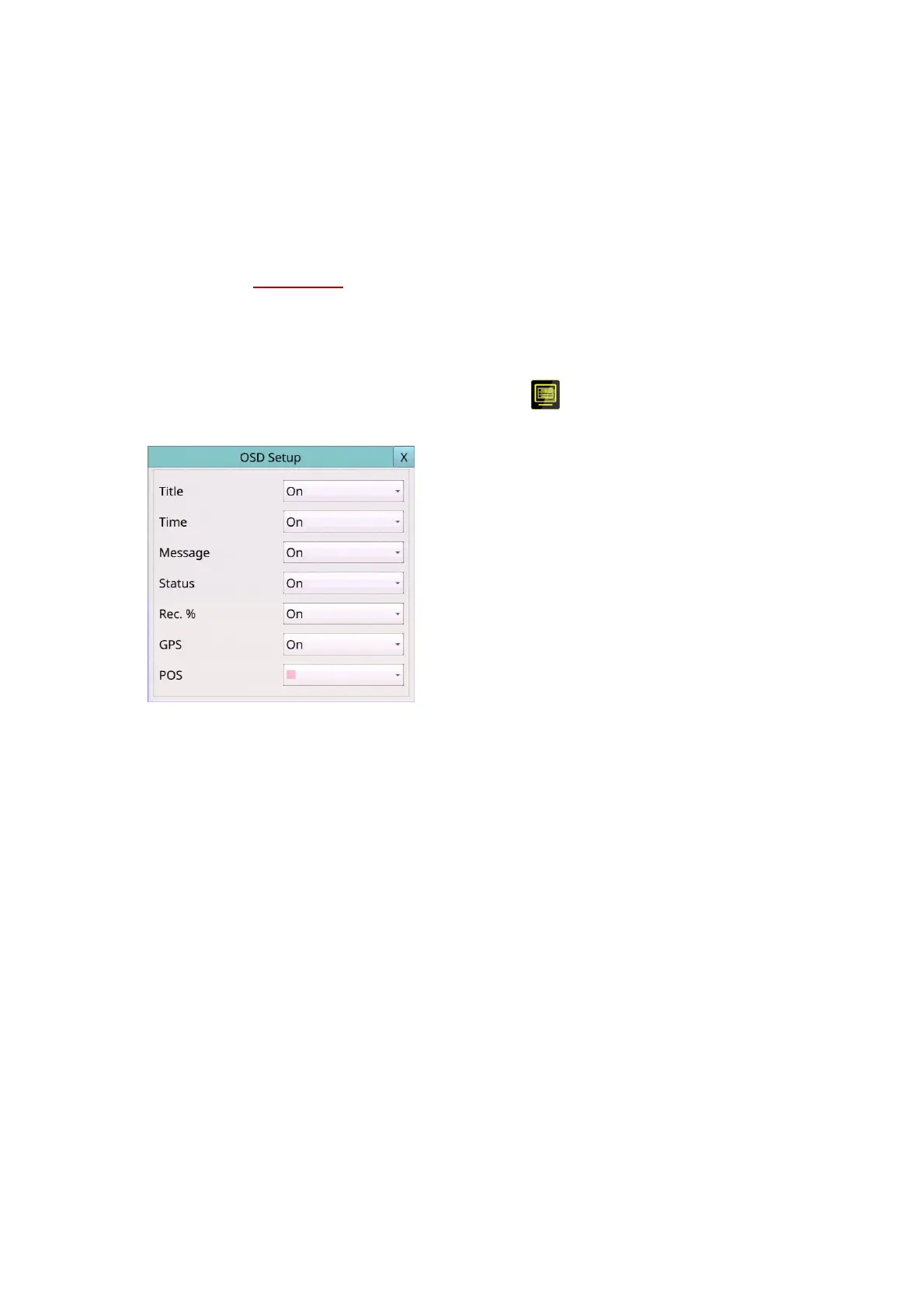
Left-click the mouse to select the OSD (Mouse: ) In Setup Menu display, the OSD
Setup will be shown.
The OSD Setup allows the administrator to set up the OSD display on the split window.
The general operations are as below:
Mouse: Click in the respective item
Select the items to set.
X (Mouse: Left Click X or Right Click to leave)
Press this button to escape from this screen, and return to Setup Menu display. If the
Save dialog is shown, press YES to exit and save, CANCEL (Mouse: Right Click) to exit
without saving.
Following is a brief description for each item and its specific operations:
Title – On/Off. Set display camera title on split window or not.
Time – On/Off. Set display system time on split window or not.
Message – On/Off. Set display system message on split window or not.
Status – On/Off. Set display status on split window or not.
Rec. % – On/Off. Set display HDD record% on split window or not.
GPS – On/Off. Set display GPS data on split window or not.
POS – different Color. Set display POS color on split window or not.



 To Next Page