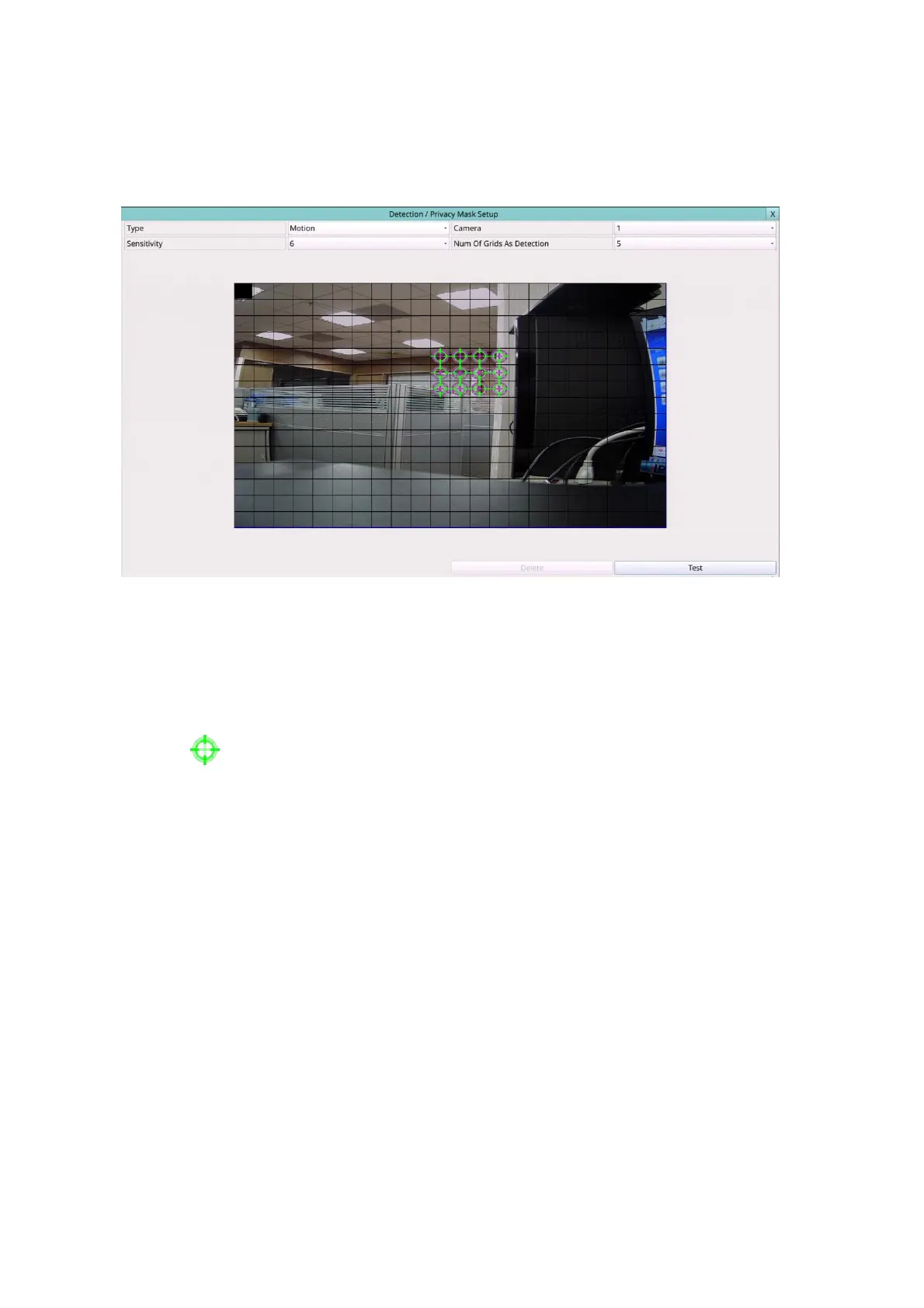
6.1.4 Motion/Privacy Mask Setup
In Camera Setup, press Area/Privacy Mask to call up Detection/Privacy Mask Setup as
shown.
It used to setup the motion detection settings, including detection area and sensitivity,
when motion is detected for this camera. Please note that the motion detection area and
sensitivity are also used for the Smart Search information. There won’t be any Smart
Search information stored outside the detection area. So, it’s better to enable the whole
area if the motion detection for the camera is disabled (and only Smart Search is used).
In Motion Detection Setup, the video area is divided into many small grids, and the area
with is the area which will be detected for motion, while transparent grids not
detected for motion.
The general operations are as below:
Mouse: Click in the respective item
Select the items to set.
X (Mouse: Left Click X or Right Click to leave)
Press this button to escape from this screen, and return to Camera Setup display. If
the contents have been modified, a Save dialog will be shown to ask the user to save
the changes, press YES to exit and save, CANCER to exit without saving.
Following is a brief description for the operations of detection:
Type – Press to select the type to set.
Camera – Press the Numeric to select the camera.
Sensitivity – The sensitivity, 1 – 10, for the motion detection of this camera.
Num Of Grids As Detection – The “number of grids treated as motion”
Test – Press this button to test the motion detection of this camera. The detected



 To Next Page