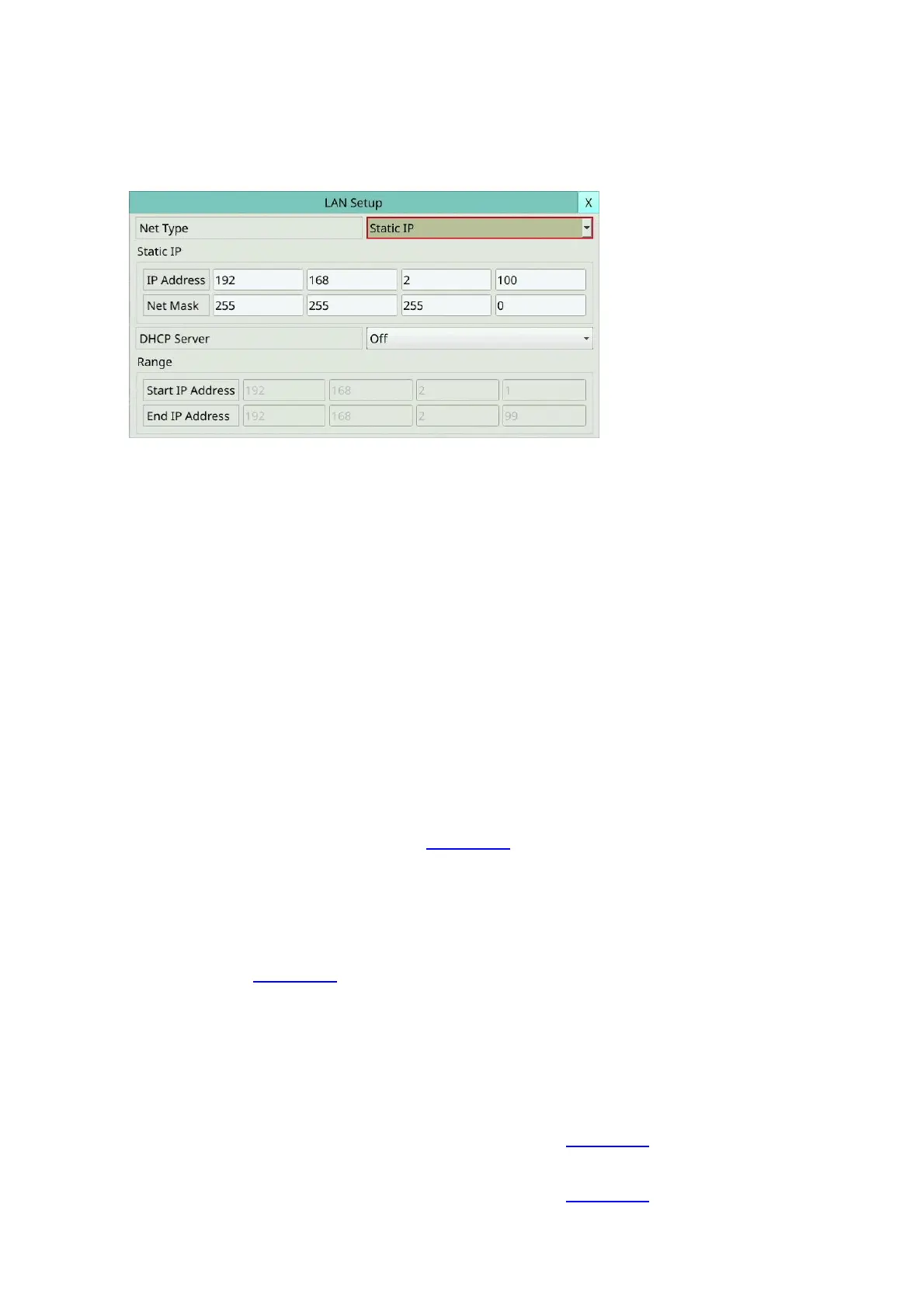
5.5.5 LAN Setup
In Network Setup, press LAN to call up LAN Setup as shown.
The LAN Setup allows the administrator to set LAN (Second network port or network with
optional POE) related parameters.
The general operations are as below:
Mouse: Click in the respective item
Select the items to set.
X (Mouse: Left Click X or Right Click to leave)
Press this button to escape from this screen, and return to Network Setup display. If the
Save dialog is shown, press YES to exit and save, CANCER to exit without saving.
Following is a brief description for each item and its specific operations:
Net Type – Static IP or DHCP. It can set how to get the local IP address of the second
network port. .
IP Address – Ethernet IP address of the “Net Type” above for the system. Please follow
the Text Input method described in Section 4.1 to modify these items.
Note: The second network port or the local POE, whether it is to set static IP or DHCP,
must be staggered from the network segment of the current network environment,
and It also cannot be the same as the first network port.
Net Mask – Net Mask for the Ethernet IP address. Please follow the Text Input method
described in Section 4.1 to modify these items.
DHCP Server – To On / Off the built-in DHCP server in the device. If enabled, all devices
connected to the second network port or IP cameras on the local POE can use the local
built-in DHCP server.
Note: There can only be one DHCP server on the LAN.
Start IP Address – The start of a range of IP addresses that the built-in DHCP server can
use. Please follow the Text Input method described in Section 4.1 to modify these items.
End IP Address –The end of a range of IP addresses that the built-in DHCP server can
use. Please follow the Text Input method described in Section 4.1 to modify these items.



 To Next Page